Some years ago, I was involved in one of the first bilingual traffic signs in Aotearoa New Zealand for Porirua City Council. It got some media attention at the time and I’ve noticed that bilingual signage is becoming much more common.


Tree-lined suburban street with cars and a blue road sign with white words that read āta haere slow down

Porirua’s first bilingual road signs mark the streets around Takapuwahia Marae.


Some of the examples I’ve seen are council signage by Porirua City Council and Wellington City Council.


White pole with a blue sign against a bright blue sky

Porirua City Council signage in Pukerua Bay, Porirua.


Out of interest, I looked to see if there were any bilingual signage guidelines out there. I found that Te Puni Kōkiri, Ministry of Māori Development have put out a resource called ‘Māori-English Bilingual Signage. A guide for best practice’.

Their objective for developing the bilingual signage guidelines is to “Increase the visibility of te reo Māori in public spaces within the government (central and local) extending to business sectors, and thereby increase the usage of te reo Māori in every day conversation.”

They say when developing bilingual signage the key principles are:

  • Responsive and accessible services
  • Visibility of language
  • Equality of language
  • Quality of language

Te Puni Kōkiri says that embracing te reo Māori and culture in everyday public life helps establish a shared national identity and builds goodwill and social cohesion within Aotearoa New Zealand. That it’s a good business practice as it can help build staff pride, morale, and loyalty.


“Bilingual signage also offers the opportunity for organisational development through building staff capability to speak te reo Māori, and therefore their ability to work with Māori communities, and to communicate and negotiate with a range of customers in diverse situations.”


Te Puni Kōkiri’s guide is based on international literature and the United Nation’s best-practice principles of bilingual and multi-lingual language planning guidelines adopted in policies and guidelines in many countries. They say “the typographic rules applying to bilingual signage as an internationally recommended standard shows the “first language” (the one being revived), i.e.
the Māori text is at least as large as the font for the English text even if the text in one language is longer. Further, if this is not practical in terms of the eye easily reading at a glance, then the Māori text should dominate. The rationale is that English is an international language that most people know and understand. Customers will, therefore, have little difficulty in navigating themselves towards a building or within its work-spaces, or websites.”


“It makes sense to have the Māori on top; that’s how we keep the language alive.” DEPARTMENT OF INTERNAL AFFAIRS


Black panel painted on a white wall with the words wharepaku toilets and some toilet icons

Bilingual toilet signage in Arapaki Manners Library, Wellington City.


All great stuff but how exactly do we put that into practice? What does it look like?

Luckily TPK have distilled the main design points into a PDF.  I’ve listed their Do and Don’t points below.


Cream panel with various bilingual signs

Some tips taken from TPK’s “Design tips to support quality bilingual signage” PDF

Bilingual signage tips

DO:

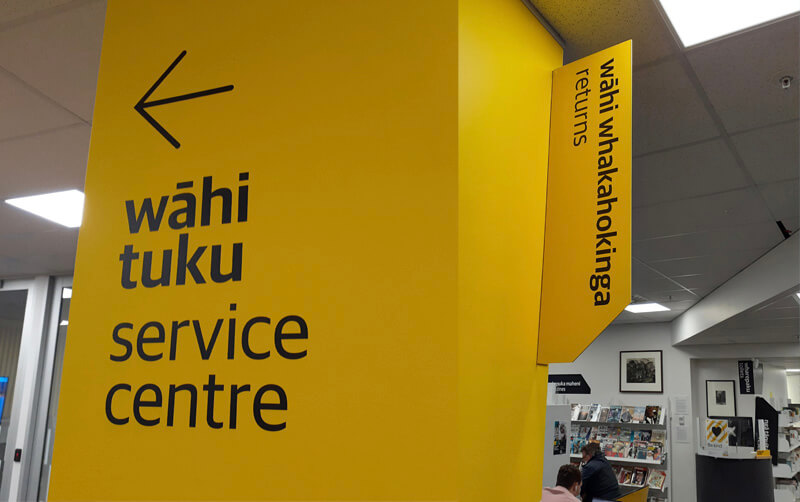
  • Have the font for the Māori text at least as large as the font for the English, even if one text runs longer.
  • Use an equal typeface for the Māori and English.
  • Use the same font style for the Māori and English.
  • Apply colour coding to text and or language – separating background panel.
  • Be consistent in all signs with the same colour and position for each language.
  • Consider how a pictogram might reduce the amount of text required.
  • Place Māori first, either stacked or side by side.
  • If both Māori and English cannot be easily read because signage is ‘visibly biased’ consider having the Māori only.

DON’T:

  • Assign a heavier font or colour for English.
  • Apply a dominant visual style to English.
  • Use italics or symbols (– or /) to separate Māori and English.
  • Squash Māori to match English text.
  • Use CAPITALS to differentiate languages (e.g. CAPITALS and upper and lower case).
  • Double up on icons.

As always there is more to learn, and I look forward to putting these tips into practice.


Here are some of the resources I found that you might find useful:


Silhouette of person looking out to sea from a clifftop at dawn

EXPLORE: my ‘word of the year’ for 2022.

The concept of having a ‘word of the year’ is something I’ve played with for many years. Sometimes I’ve picked one and promptly forgotten all about it, but more recently I’ve been more intentional. For example:


2020 was ACCEPT…

which turned out to be prophectic. Covid-19 smashed the international plans I had and gave most small businesses a thorough shake-up. Working to accept the ongoing uncertainty definitely helped.

2021 was YES…

which led me to accept the opportunity to tramp the South Island section of ‘Te Araroa – the long pathway’, which I set out on in December.

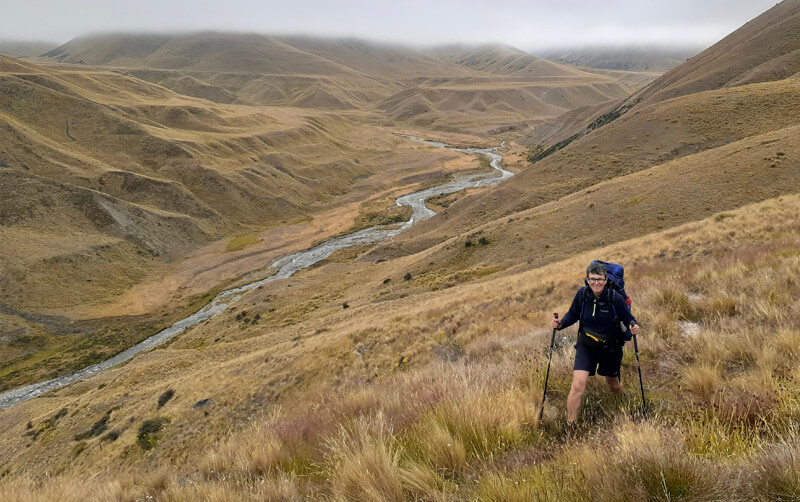
Woman hiking through grasslands with backpack and walking poles

This segued seamlessly into 2022 being EXPLORE…

The first two months of 2022 were spent continuing to explore Aotearoa’s beautiful back country and completing my 75 day Te Araroa journey.

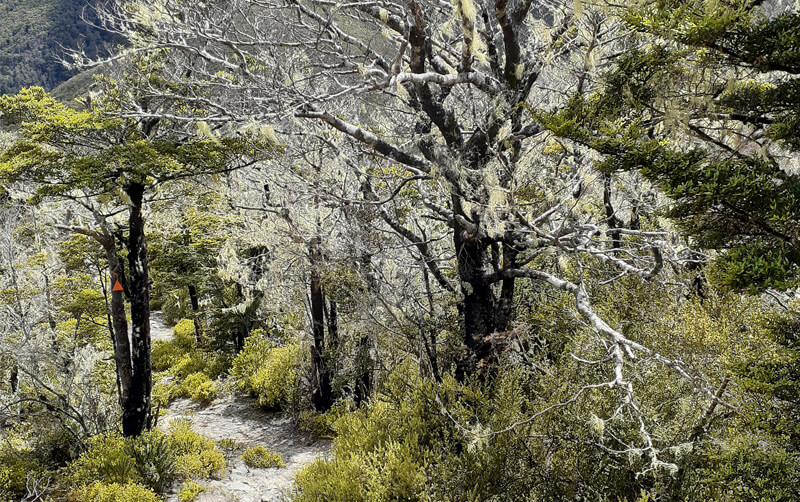
A footpath through beech trees covered in lichen with an orange triangle on one of the trees


“Exploration is curiosity put into action.” DON WALSH


Milestone year

2022 is also a milestone year for Pogo. This month I’m celebrating 15 years in business.
I’m very proud of reaching this point and appreciate the flexibility working for myself has afforded me and my family. I also have a wonderful support network of friends and fellow businesses that has brought opportunities and helped me grow and develop over the years (such as co-authoring a book). Chrysalis for Women has been a big part of that support.

But, I have missed the “creative soup” of working with other designers. With less demands on my time on the homefront, it’s been a perfect time to get out and explore what other creatives are up to in Wellington.


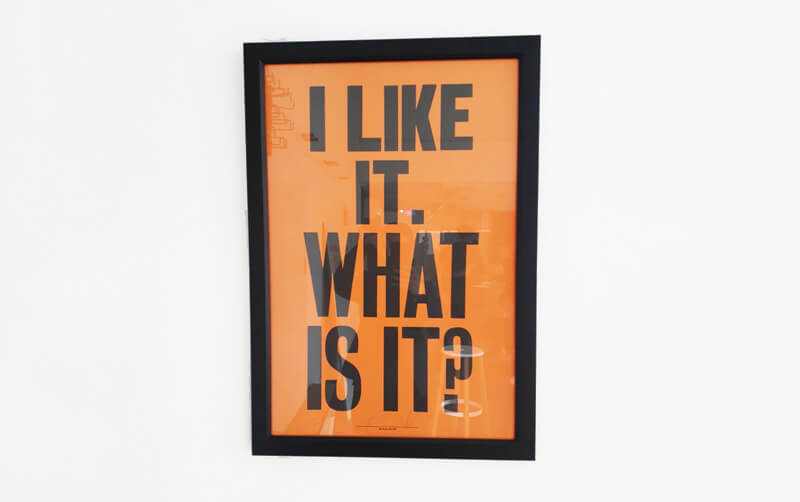
black poster frame on a white wall with black words on orange that say I like it what is it?

Exploring creative events in Wellington

Here are some of the events I’ve discovered in Wellington. I started with a free Creative HQ evening talk, which in turn has led to other events, meeting more people and finding out about other workshops, ideas and resources. It has required investing some time and a willingness to accept the potential awkwardness of a roomful of strangers. So far it’s been well worth the effort.


I’m excited to see where else these events will lead me how they will help shape Pogo.

Letter a with macron in different bright colours on a white background

Kia ora.

Te Reo Māori is the indigenous language of Aotearoa, New Zealand and one of three official languages of the nation. Its use is increasing in professional and everyday life. As a designer that means designing with fonts that can accommodate macrons as they are an integral part of the language.

I’m going to share some simple ways to find some macron enabled fonts to use in your designs.

I’ve made a quick video of some of the ways here.

Google Fonts

Google font homepage

This a great resource of all of the typefaces listed in the Google Fonts directory are open source. More info about the licence here.

On the home page you can add a word with macrons under ‘custom’ in the search bar. You can then see if the fonts available have macrons. Another option is to select ‘Latin Extended’ in the ‘Language’ button list. This should exclude most fonts that don’t have macrons.

Adobe Fonts (Typekit)

Screenshot of Adobe Font search window

If you’re using Creative Cloud you’ll know you can access Adobe Fonts. When searching in Adobe Fonts you can paste a word with macrons into the ‘Sample Text’ window. This will show a range of fonts and the ones that do not support macrons will have a crossed box replacing the macronised letters.

Screenshot of Indesign Glyph window

If you’re already in Indesign or Illustrator you can add or check whether the font you’re using has macrons by going to Window>Type>Glyphs and selecting ‘Entire Font’ in the ‘Select’ window. Scroll through to see if there are macrons. Double clicking on any of the letters will add them into a text box you have open.

Canva


screenshot of selecting different typefaces in Canva

If you’re using Canva, select a template or one of your existing designs. In a typebox paste a word containing a macron. With that typebox selected you can click on the typeface button in the top left of the editing banner which will open a window of different fonts. Most of the popular fonts accommodated macrons when I checked them. If they don’t there is a basic default font used.

It’s so great there are many macron enabled font options out there which makes it easier for designers to do the right thing! Here are a couple of other resources that I’ve also found useful.

Other useful resources:

Ka pai!

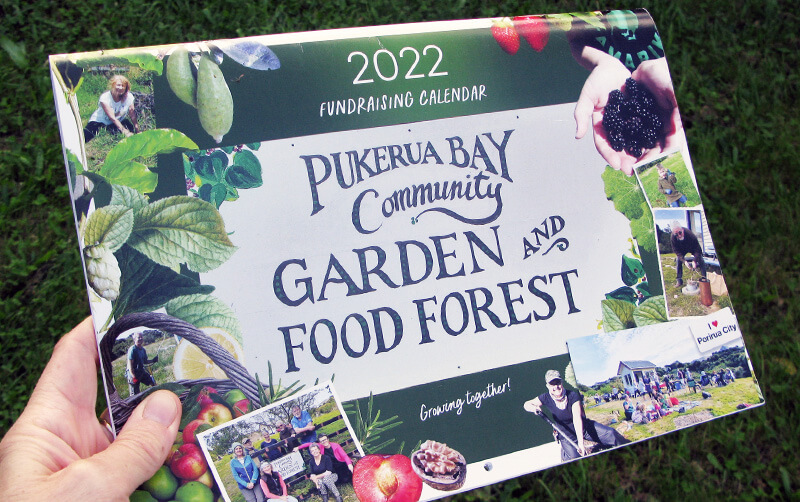
A hand holding a community garden fundraiser on a dark background.

In business, and in life, you’re often encouraged to consider your “Why”. This is the concept of having a purpose, belief or cause that is a driving force in what you do and how you do it. Simon Sinek describes the concept in this TED talk.

Like many simple ideas I found it easy to understand but much harder to define an answer for myself.

Over the years I’ve realised I get a sense of personal satisfaction and purpose from contributing to my local community and that I value community building. I’ve already talked about the benefits of this in a previous post.


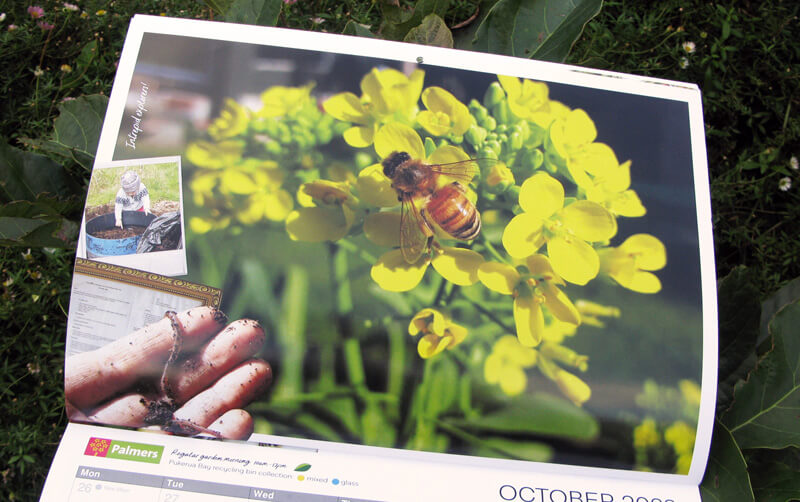
Open calendar showing a photo of a bee on yellow flowers

Last year my local community garden group created a  community garden fundraiser and I contributed my design skills – on the understanding I would not need to be involved in the selling!

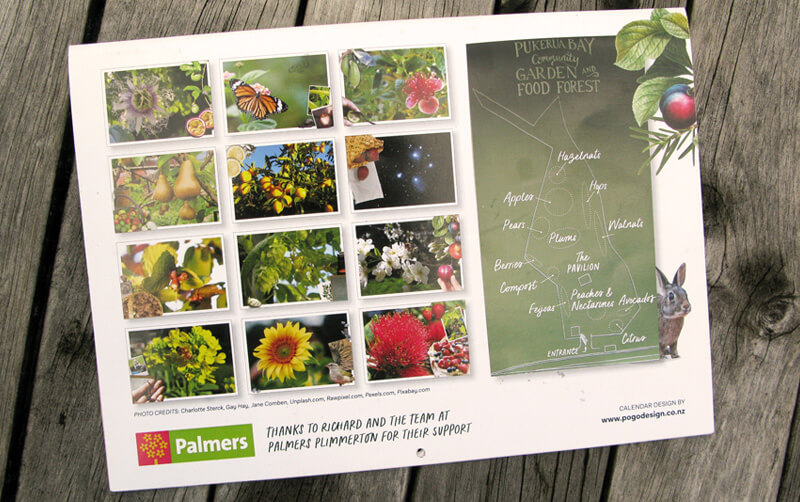
The project included photos, content and artwork from other collaborators (indio Anne) and support from our local Palmers Garden Centre and The Print Room.


Back of a calendar with a grid of photos showing the month images

It was a successful fundraiser and I enjoyed a creative project, the chance to play around with collage and experiment with making a promotional video in Canva.


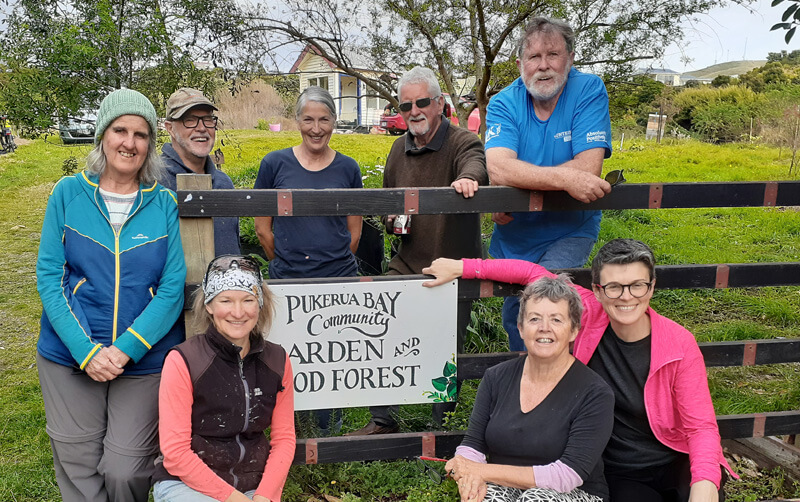
A group of smiling people positioned around a hand painted sign that reads Pukerua Bay Community Garden and Food forest

But, what does a sense of community look like in the way I do business?
A lot of what I do professionally is about connecting and building relationships. Things like:

  • Working with organisations and businesses that want to build and connect with communities and make a positive difference.
  • Contributing to many clients teams, often over years.
  • Collaborating with other complementary businesses (and co-authoring a book).
  • Supporting business groups such Chrysalis for Women (sharing my knowledge through presentations and as an Advisory Board Member).
  • Attending workshops and presentations such as the Creative HQ series.
  • Donating my time and skills to initiatives that resonate with me.

I’d love to hear what motivates you.

Three file icons on a pink background with a question mark on the front of each file

Every now and then I’m asked; “Did you work on this?”

Each time, I’m reminded that the extra bit of effort required to number, name and file a job properly is worth it for those occasions when I’ll need to retrieve it.

Recently, I was asked this question about a project that had lots of iterations over the years… including a company name change. I didn’t have the job number, but I did know the client and the project name.

With a quick bit of digging, I found all the artwork files in the cloud and on archived DVDs. Turns out they were from 2012, 2014 and 2015.

I’ve been working with this client for 14 years and most, if not all, the staff have moved on. I was delighted that my archive provided a kind of outsourced ‘institutional knowledge’ storage system.

With staff turnover and different filing systems, sometimes clients will ask me to source a logo or photo they’re having trouble locating in-house. Or sometimes a project is being reprinted or updated.

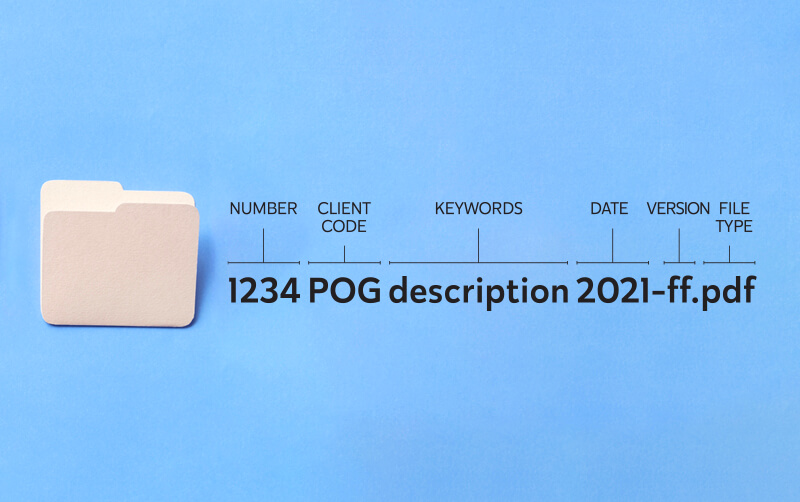
Diagram showing the different parts of a file name

Whatever the reason, my job number, client code, description/keyword and date filing system hasn’t let me down yet!


The words ask more questions as a framed picture on a wall

If you’ve got a project coming up that needs some design input, I recommend you ask yourself these simple questions before talking to a designer. Not only will it save time (because you’ll have a lot of the preparation covered) it should also save money spent on design. The designer will have the information they need to get on with the job and not waste time chasing things up.

  • Do specific fonts or colours need to be used as per your organisation’s branding? Do you have a copy of the brand guidelines and high resolution versions of your logo?
  • Are there any particular images/photos you’d like to use? Are they good quality and is there any photo credit or attribution required?
  • Will the copy supplied to the designer be a final version signed off by the appropriate authority and proof-read (in-house or professionally)? Or will there be changes once it has been laid out?
  • Are other organisations involved and do their logos need to be included in the design? Do you have access to high resolution versions of their logo?
  • Will the final product be digital or physically printed and who is organising the printing?

Scattered polaroid photographs on a dark background

From my experience images, especially photos, are the one thing that often hamstring a project. You may be required to show particular things or particular people. If the only photos you have of these things are poor quality then this will limit design options. It’s much better to provide your designer with a realistic idea about the images they’ll have to work with upfront. Then they can come up with a design solution that accommodates the images and is not ruined by them. If you need New Zealand specific images check out my blog about stock images.

If you’d like some more tips about getting the best out of your designer check out this interview I did with Angela at Halo Communications.

This month I celebrate 14 years working for myself as Pogo Design.


While it doesn’t seem that long, in many ways a lot has changed.

  • My driving motivation to start a business – wanting to find a way my son could attend the local school and manage school holidays – is no longer relevant as he’s left school and become a fully-fledged adult.
  • Covid means working from home is now fairly common. Rather than a rare privilege for workers in the right industries with a good level of discipline.
  • People starting businesses today really do need a website and a social media presence. While they don’t need a printed letterhead to help them look professional.


The basics still remain the same though. Finding and building relationships with clients. Providing value which in my case means coming up with good ideas and being creative. And service. Being easy to work with, responsive and reliable.

As with anything there have been challenges and rewards. For me, working for myself has involved working out the 3 B’s.

  • Balance – working out the balance between work and homelife. Especially if the studio is just there and that thing needs doing, now!
  • Being the Boss – you get to call the shots, make the decisions, fix the problems and deal with what needs to be dealt with. This is where having a support network of friends, colleagues and helpful suppliers comes into its own. People to give advice and hold your hand when you have to make a difficult call. Or be your cheerleaders when things aren’t going your way.
  • Boom and bust – dealing with the really busy times and not freaking out when it’s quiet. Remember, unlike a job you don’t get paid to pee!

alarm clock on a red background

It’s not for everyone, but being brave and taking the leap of confidence have rewarded me with:

  • Time – flexibility to spend time with the people, and doing the things, I care about.
  • Relationships – I’ve built some great working relationships. Some of my clients have worked with me for over a decade. Also, great friendships have come from my business networks. I get to work with fantastic people and enjoy what I do.
  • Growth – I couldn’t have started Pogo without the help and support of many people. Constant change means I’m always learning and evolving.

Have I been successful? And here’s the nub of it, what does success look like?

  • Have I won a design award lately? No
  • Have I got a flashy studio and a business I can sell in the future? No
  • Does my car scream POGO from eye-catching livery? No

But by my measures of success, I’m more than nailing it.

  • Did I walk my son through the school gate on his first day of school? Hell Yes!
  • Have I made great friends, had the time to visit family overseas, not work school holidays and contribute to my local community? Yes
  • Does work support my lifestyle? Yes
  • Am I still in business and have I achieved something I didn’t think I could? Yep!

Hand holding business cards

On a final note, and an answer to that burning question, “How many business cards should a new business print?”

Not sure, I’ll let you know when I finally run out!


Communicating information rather than driving sales

What if your aim is to impart information to an audience that isn’t particularly engaged? Or the data is technical, complicated or copious? The answer is often to simplify where possible and cherry-pick the most pertinent or surprising facts.

In a previous blog I talked about the quirks of designing for the public sector  and that the challenge of making information easier to ‘take in’ and comprehend is something I deal with a lot. Here are some approaches that I’ve used to highlight facts or tell a story:

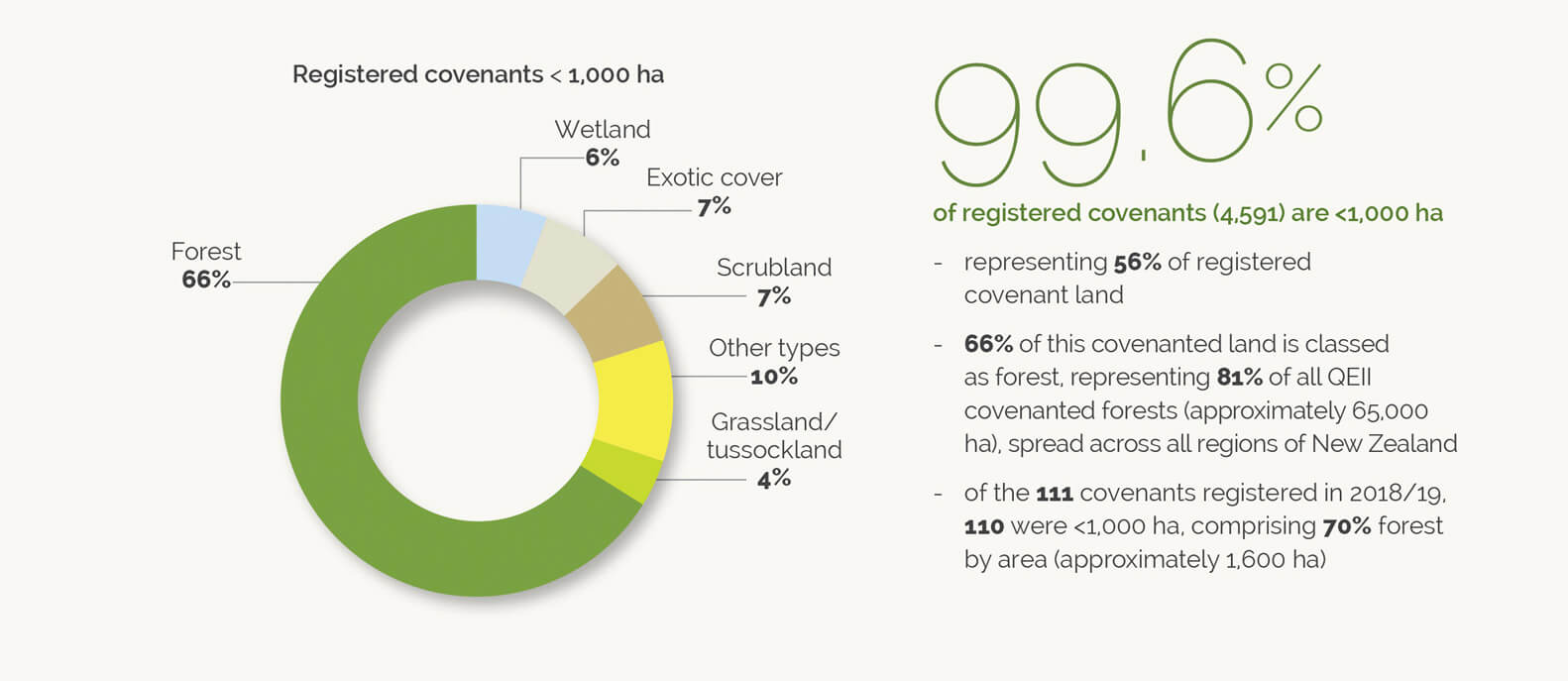
1) Pull out percentages and enlarge for visual impact

pie chart

A pie chart and pull out percentage from the QEII Annual Report, designed by Pogo based on their existing brand guidelines.


2) Multiple symbols to represent quantities

A snippet from Pogo’s Annual Report for Capacity.


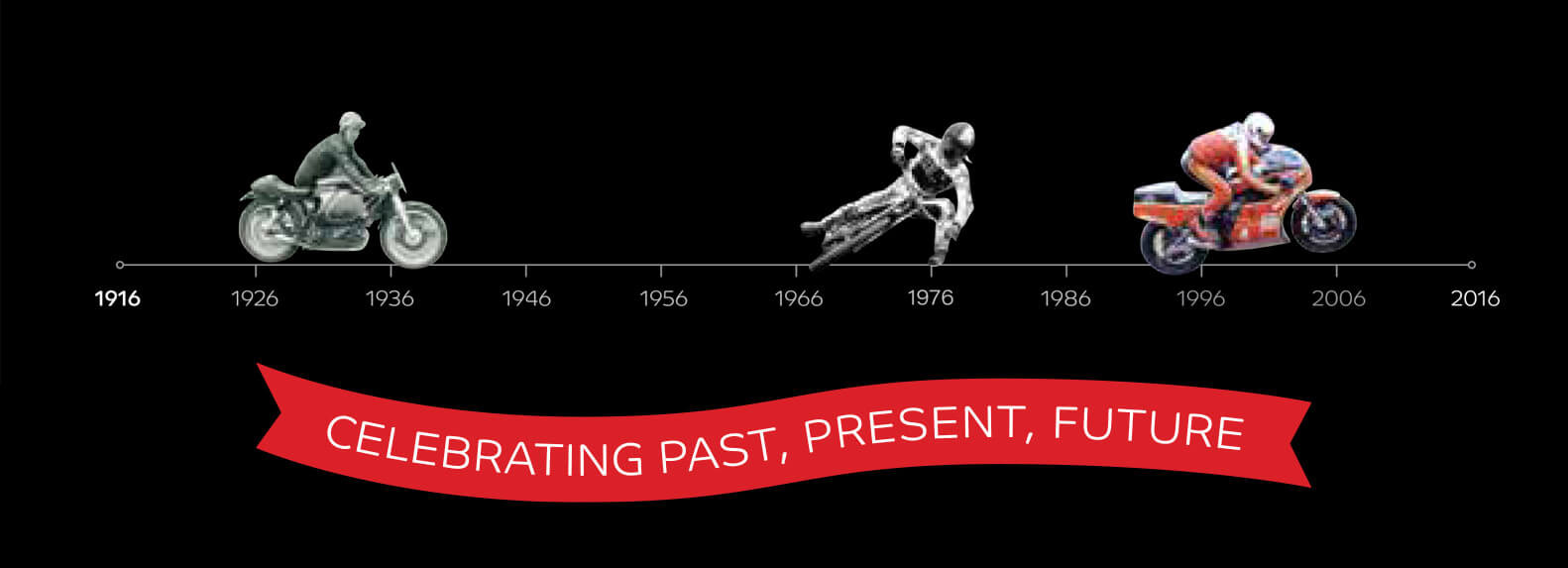
3) Timeline

timeline showing photos of different types of motorbike

TImeline to celebrate 100 years of Motorcycling New Zealand by Pogo.


4) Maps

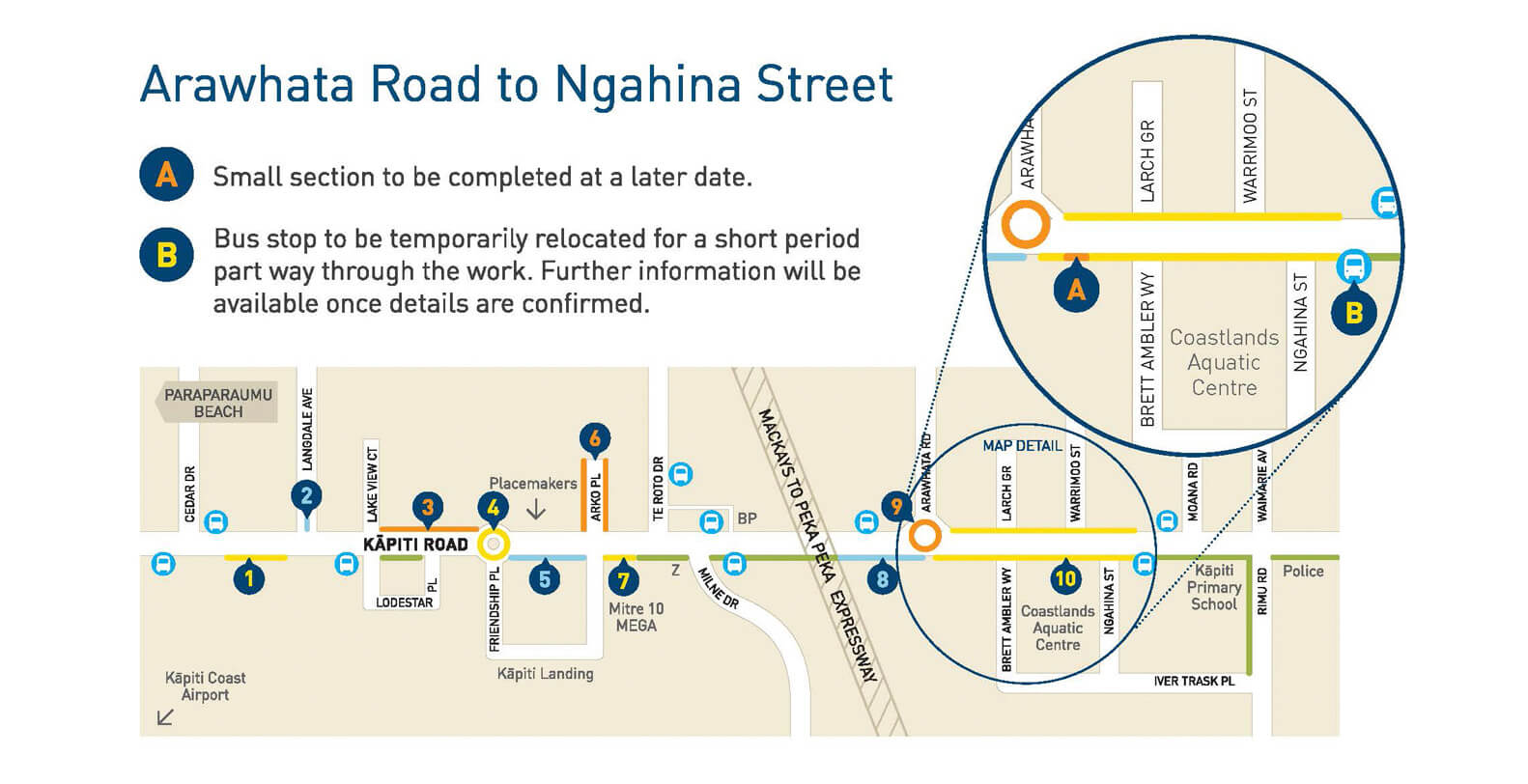
Road upgrades on Kapiti Road were shown on this map design by Pogo for Kapiti Coast District Council


5) Icons/pictograms

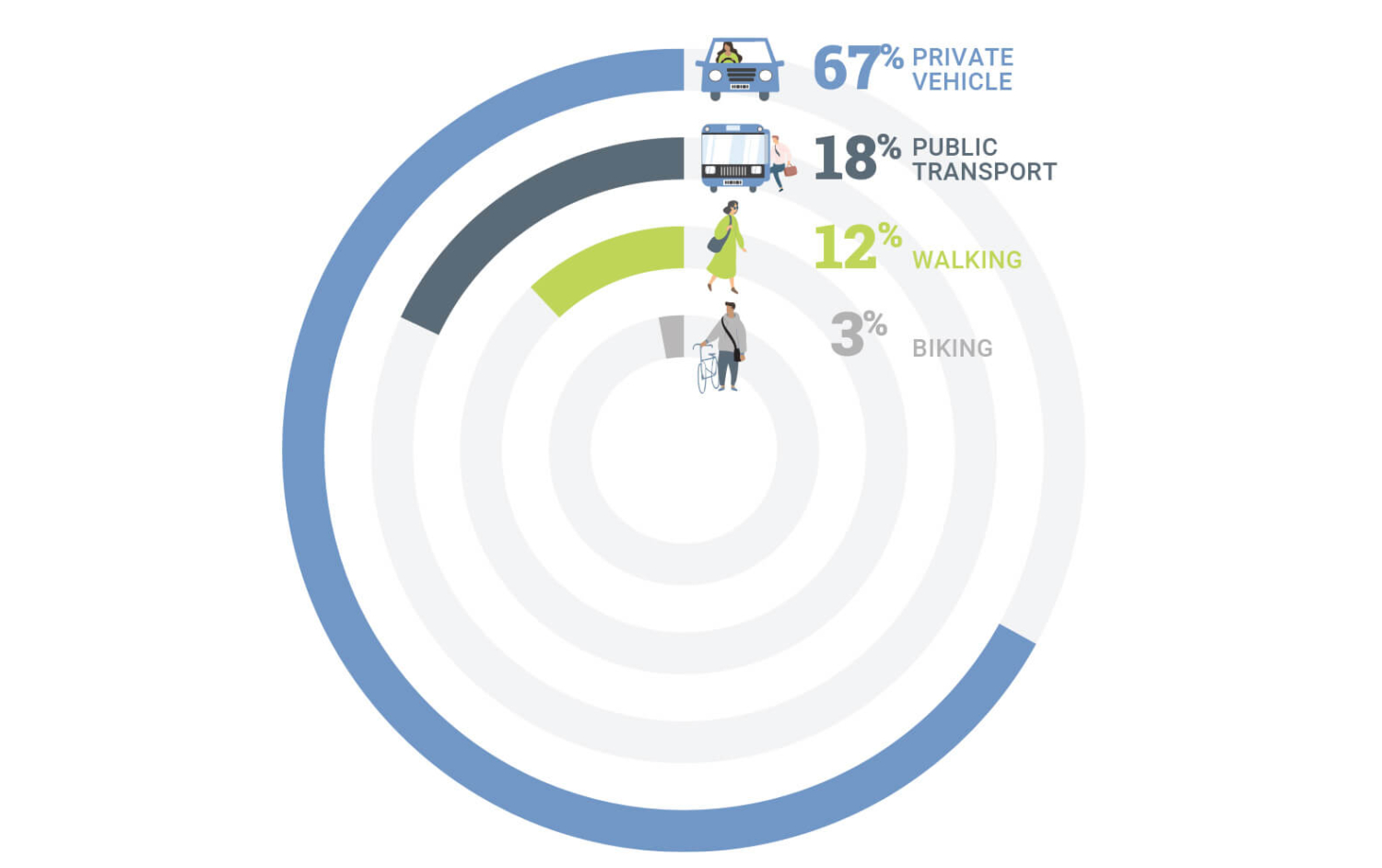
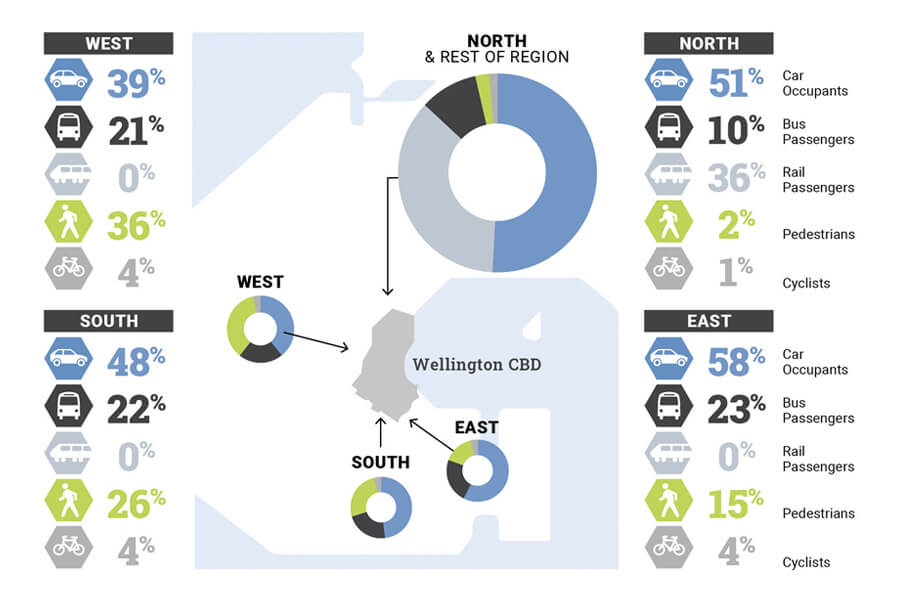
abstract map of wellington with pie charts and percentages showing travel types into the city

Pogo’s infographic showing travel into Wellington City for the Wellington Regional Growth Framework

6) Diagrams

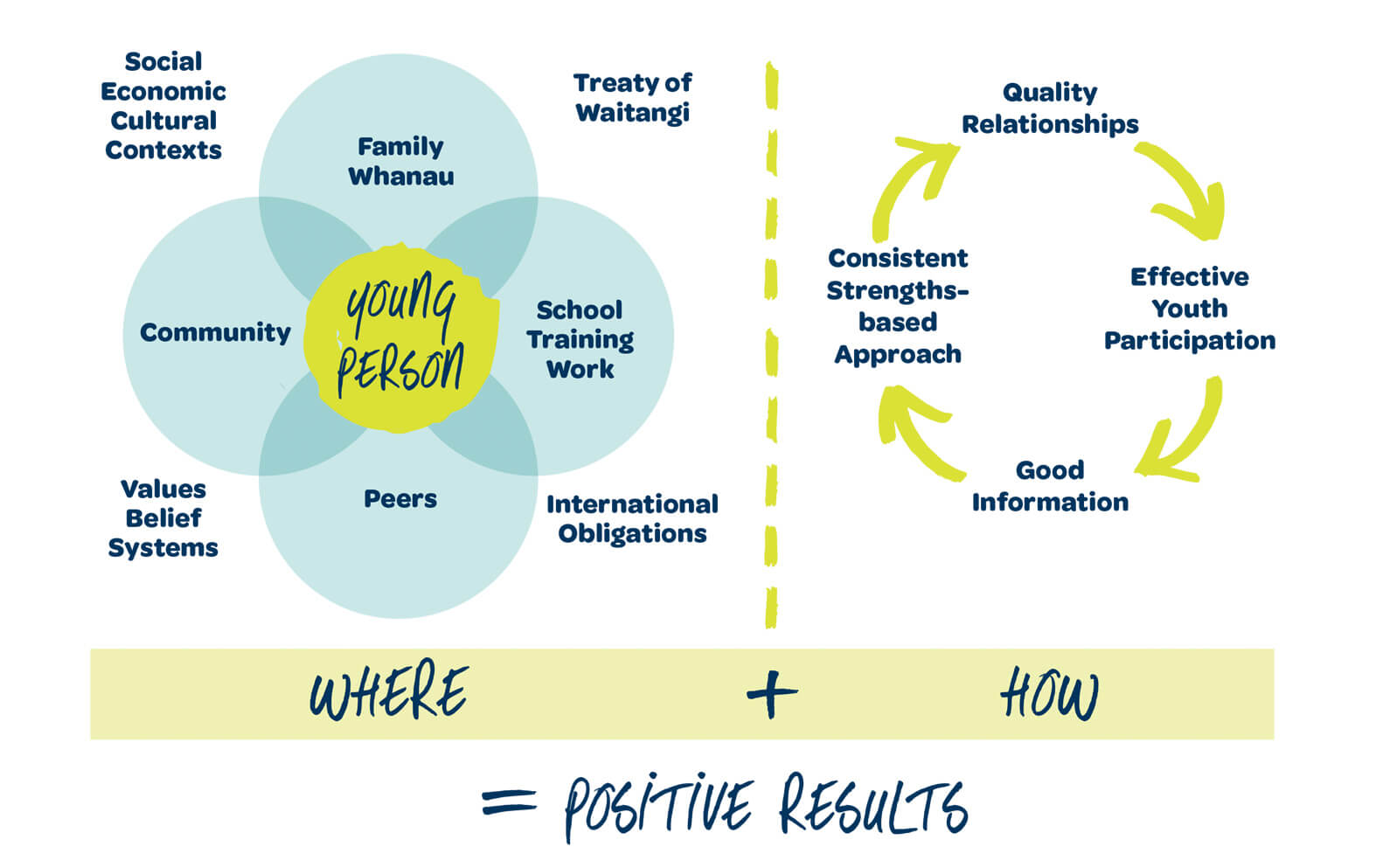
One of several diagrams describing different models in the ‘Alive and Well’ document designed for Upper Hutt City Council and Lumin.

7) Illustrations

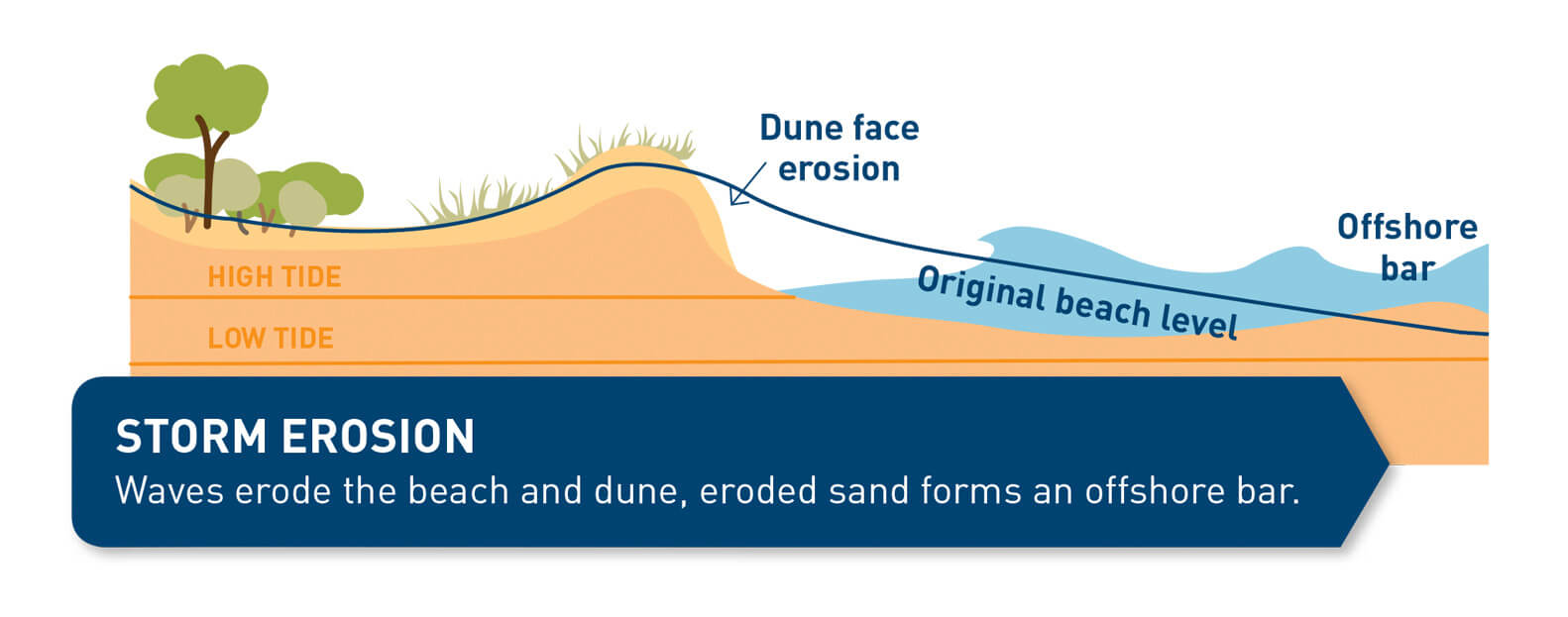
Illustration of a dune in profile

One of the illustration showing dune erosion in the brochure (by Pogo) for Kapiti Council City Council


Selling features and benefits

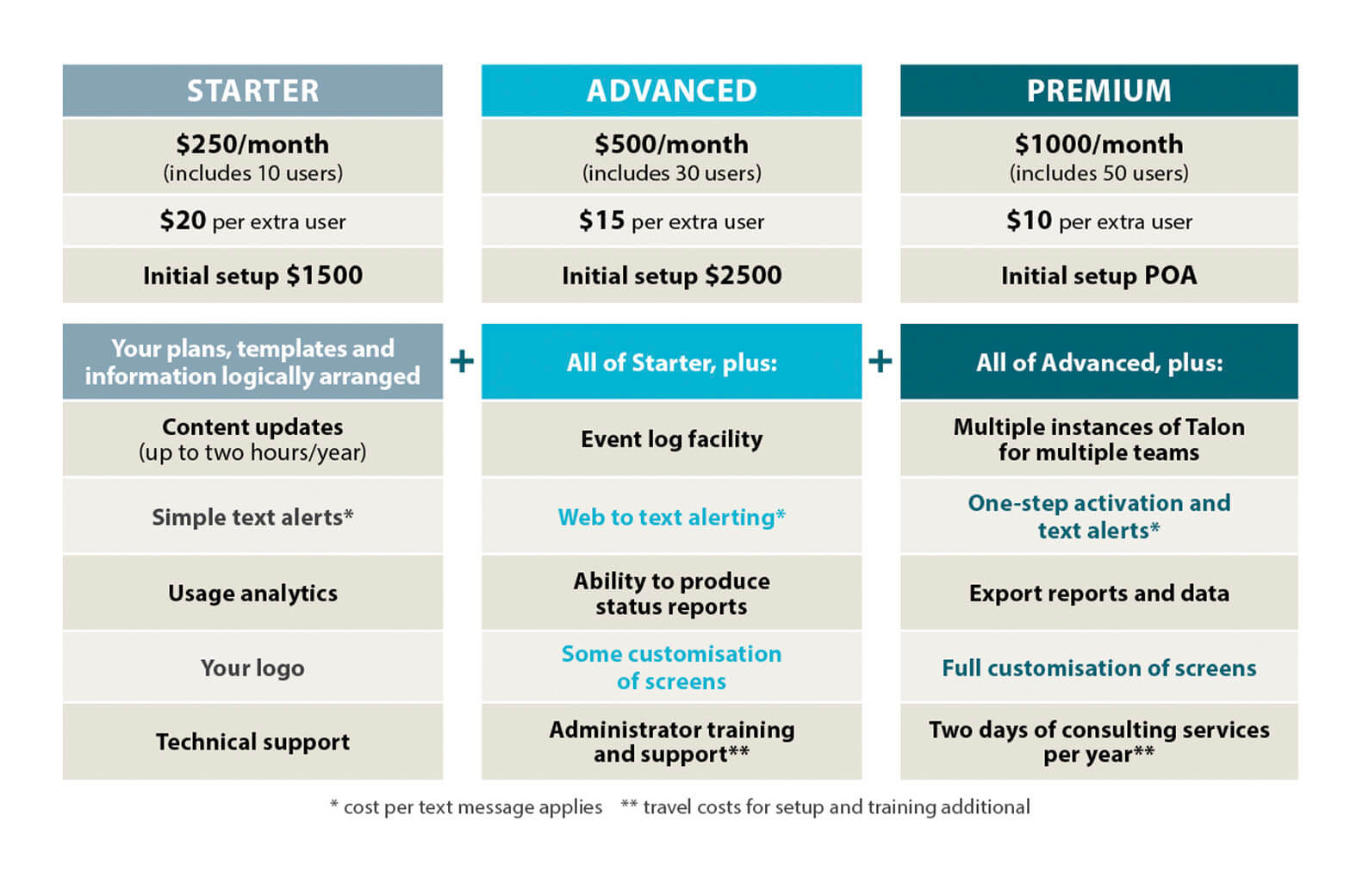
If you are a business selling products or services, differences can be distinguished by colour-coding or with benefits/features highlighted by icons. Using a table to compare costs, features and benefits is a popular and effective way for customers to decide which option they want.

table showing features and benefits of a product

Features and benefits table laid out for Kestrel Group.

Other things to consider

Getting through to your audience is paramount. Being more accessible and inclusive will help with this. I’m by no means an expert but areas to think about include:

  • People with visual disabilities and low vision
  • People with learning difficulties, including dyslexia etc
  • People with limited literacy
  • Different languages
  • Being inclusive with gender, ethnicities

The UK Home Office put together a set of accessibility posters which are great resource.

Check out the previous infographic blog here.

If you have any infographic questions, feel free to get in touch.


abstract map of wellington with pie charts and percentages showing travel types into the city

We live in an increasingly complex world and are bombarded with information 24/7. To have any chance of catching and holding a customer’s attention it helps to be very clear about what you want to say and present that information in an eye-catching or easy to digest form.

Infographics (or information graphics) is described by oxfordreference.com as “visual representations of data, information, or concepts.”


A recent article by The Guardian, about New Zealand’s clear messaging during the Covid-19 pandemic, highlights how important it is to have a clear communication strategy and how it is delivered.

“Information design may seem a superficial front by which to assess a pandemic response; but whatever course a government chooses to take against the virus – whether it be elimination, control or herd immunity – it is effective only insofar as people understand it.”

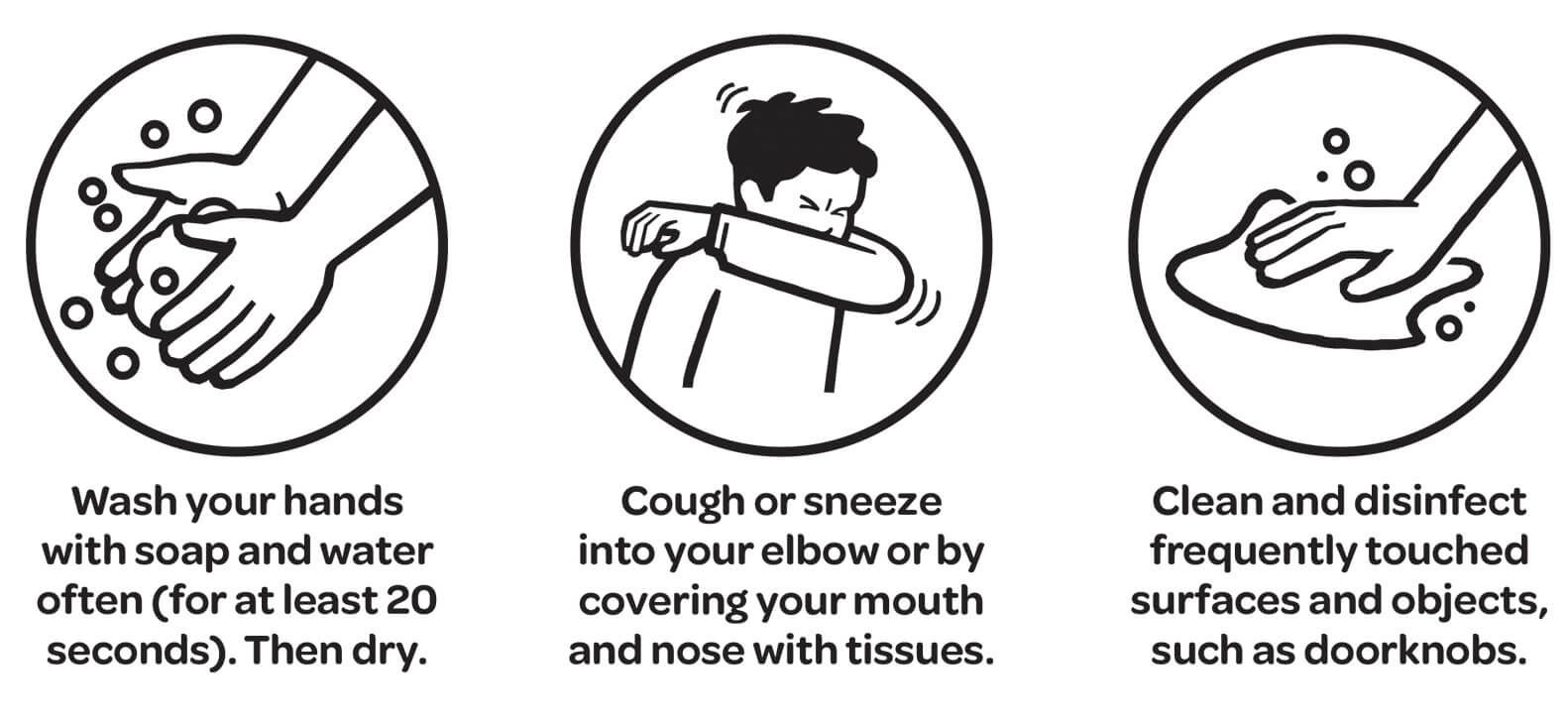
One example they reference is the use of simple black and white pictograms to illustrate public health directives, chosen for their inclusivity, compared to examples of less successful campaigns in other countries.


illustration of public health messages

‘Unite against Covid’ public health illustrations.

While most projects do not have the same pressing importance as a government’s pandemic response, using appropriate infographics will often help people understand the story you want to tell them.

Infographics can be divided into three basic types:

  • Data visualization (charts, graphs etc)
  • Information design (concepts or other information, such as process, anatomy, chronology, or hierarchy.)
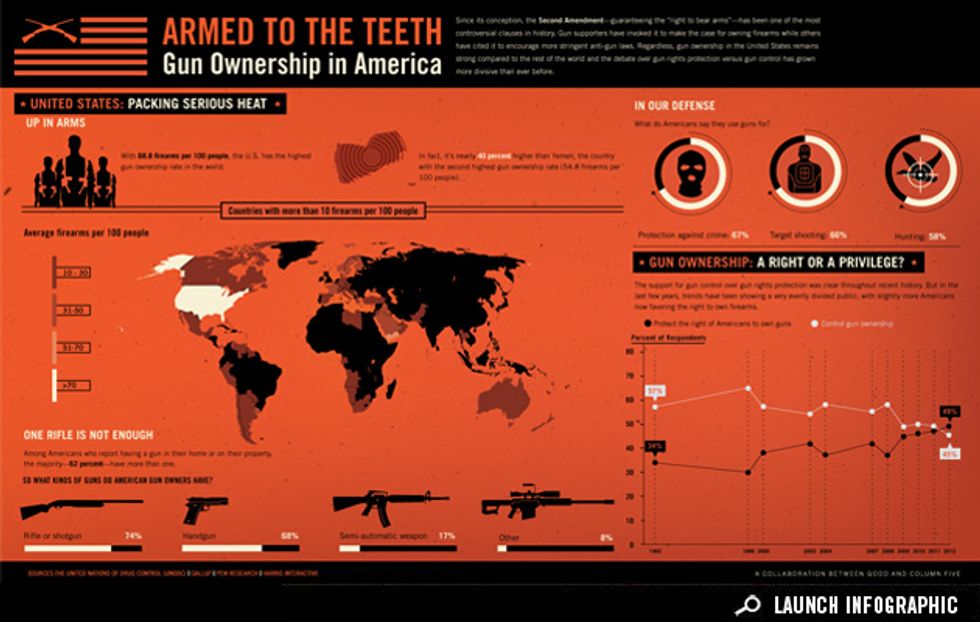
  • Editorial infographics (graphic content to replace more traditional editorial features)

Example of editorial infographic from www.good.is/infographics

Part two of this blog can be read here.

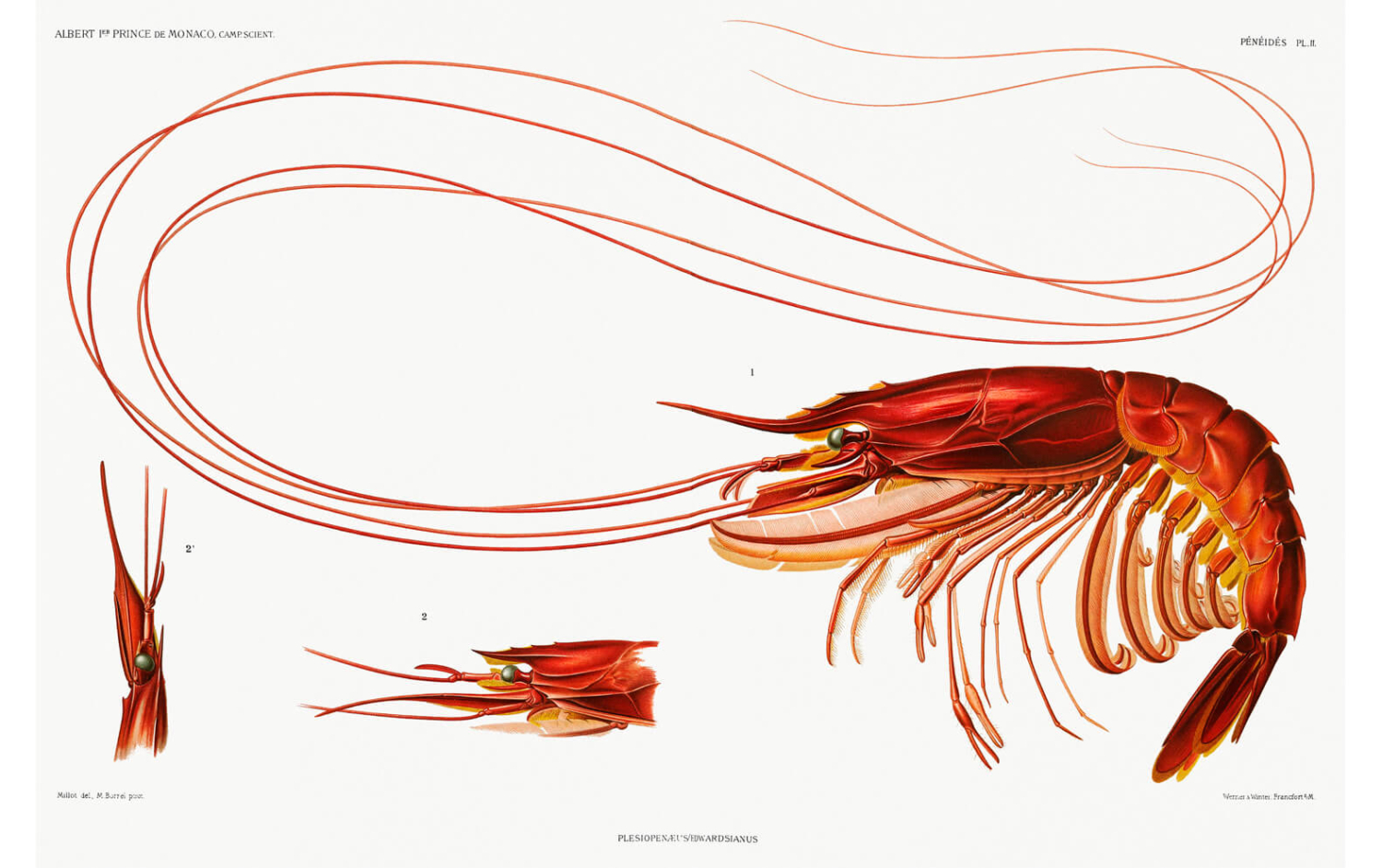
Colour illustration of a prawn

When I got involved in producing a book project recently (see my blog’s about this here and here) I thoroughly enjoyed creating some collage illustrations. During the process I revisited some favourite stock libraries for images and even discovered a new one!

There are heaps of stock libraries, but I like the following ones for their ease of use, great images and user-friendly licensing conditions. Always, always, always check out the licensing info before using – you don’t want to inadvertently find yourself in hot water!

My top picks for free sites are:

  • Rawpixel 

    rawpixel.com This is my new discovery and includes some “fantastic public domain and vintage design resources with a CCO Licence”
    CCO = Creative Commons licence (see explanation below!)

  • Unsplash

    unsplash.com for some beautiful images “powered by creators everywhere”

  • Pixabay

    pixabay.com

  • Pexels

    pexels.com


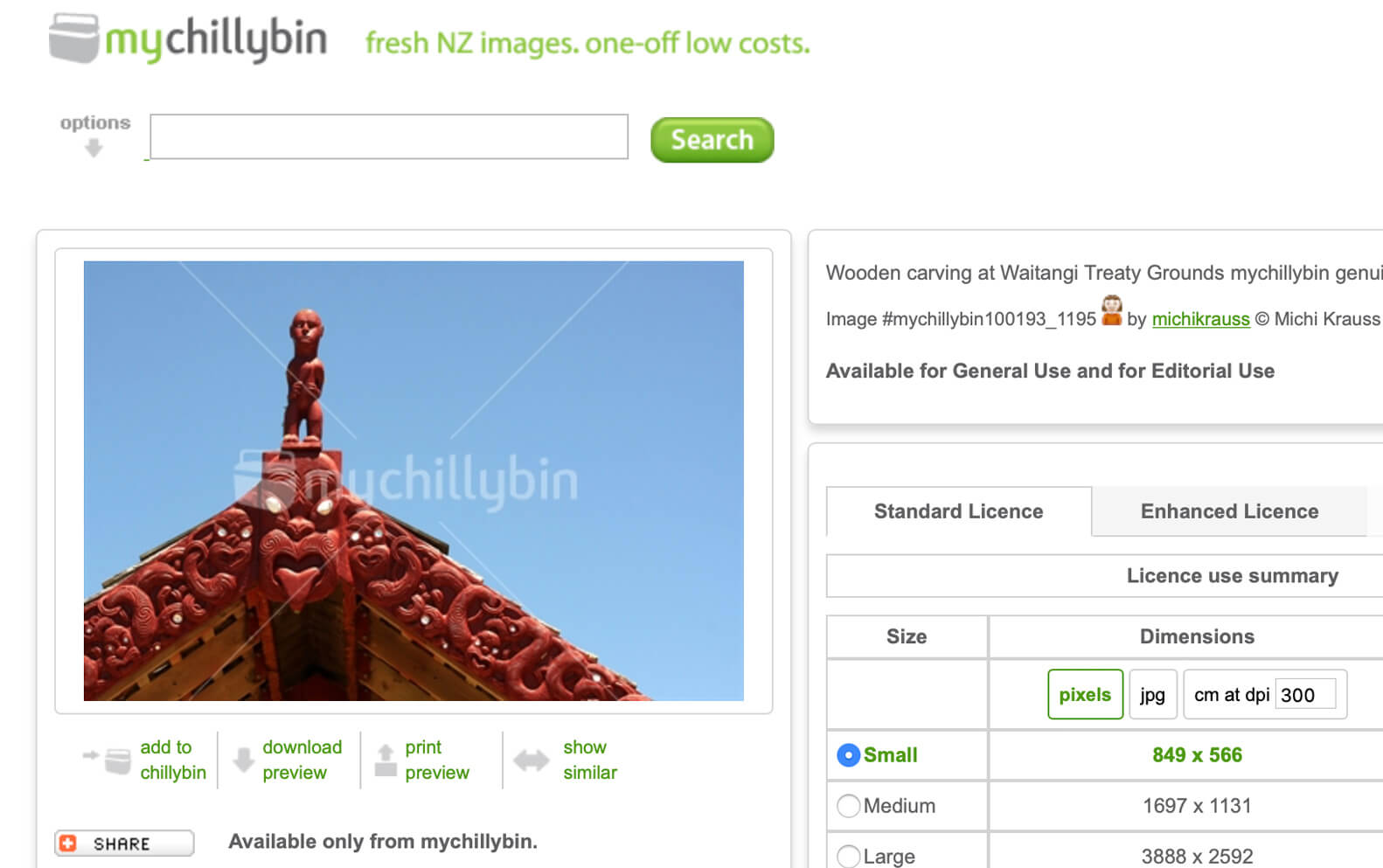
website page showing a stock photograph of a Marae roof in front of a blue sky

And great paid sites include:

Painting of older woman's face with black background.

Detail of Mme. François Buloz (Christine Blaze) (1879) by John Singer Sargent from Raw Pixel.

Don’t get caught out

As mentioned, different sites have different licensing requirements always check the license to make sure your intended use of the image is covered.

  • Many sites like unsplash encourage the use of photo credits to the contributors.
  • The Creative Commons licence: “enables scientists, educators, artists and other creators and owners of copyright- or database-protected content to waive those interests in their works and thereby place them as completely as possible in the public domain”.
  • You don’t get exclusive use of stock photography so some popular images can get used extensively. Stock images are great but if you need unique images for your business hiring a professional photographer can be a great investment.

I hope these tips help.

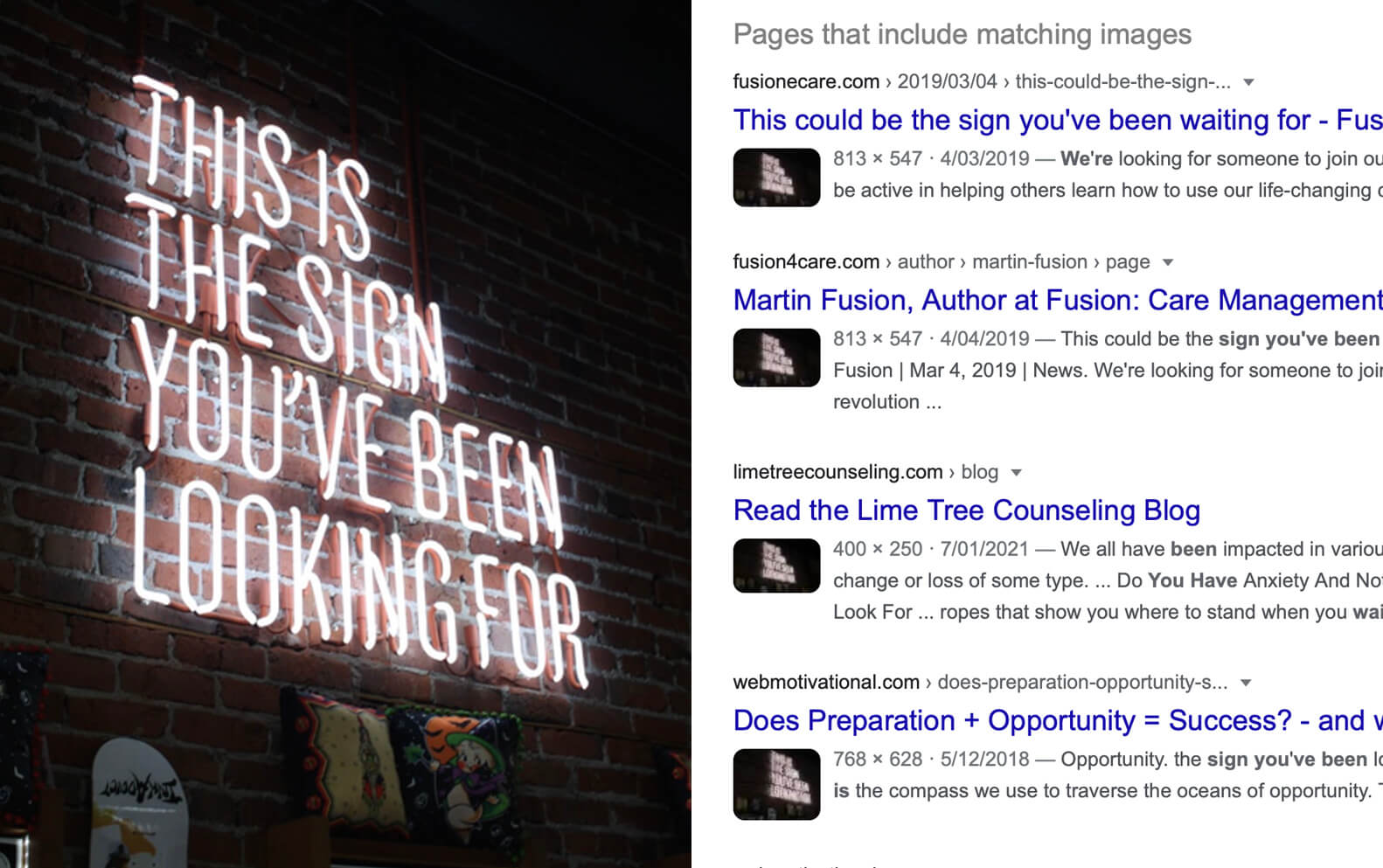
google search page

A popular images from unsplash that crops o=up in lots of places.