Different design projects require different colour systems depending on how they are being produced. In a brand guide for example, there will be usually be CMYK and RGB values for the different brand colours. What’s the difference between them and why do we need both?


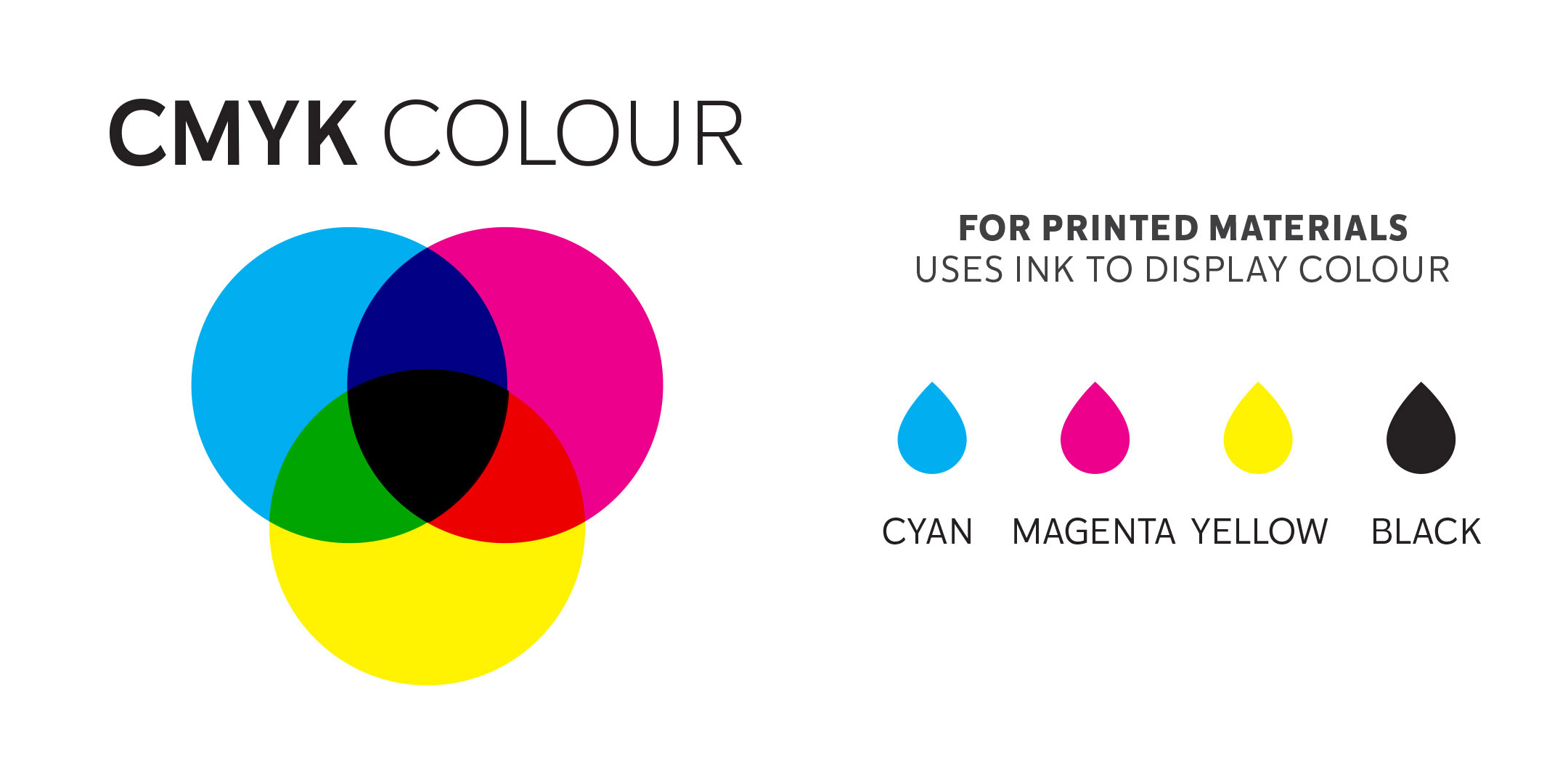
CMYK is created with ink

A full range of colours are created by adding physical Cyan (bright blue) Yellow, Magenta (bright pink) and Black inks on white paper.
Any project that will be physically printed with ink rather than on a digital screen.

CMYK values range between 0 – 100.
No covering of ink = 0
100% covered of ink = 100


Black (completely covered in ink) has a value of:

C: 100

M: 100

Y:100

K:100


While white (no ink) has a value of:

C: 0

M: 0

Y:0

K:0


Please note: There is a minimum and maximum value of ink coverage for the best printing result. General guidelines are not going below 10% for minimum ink coverage or over 280 -300% for maximum ink coverage but will depend on the type of paper or ‘stock’ being used.

Some colours can’t be reproduced using the CMYK system (such as fluorescent orange or reflex blue) . Another option is a“spot colour “ using special inks in the Pantone colour matching system.


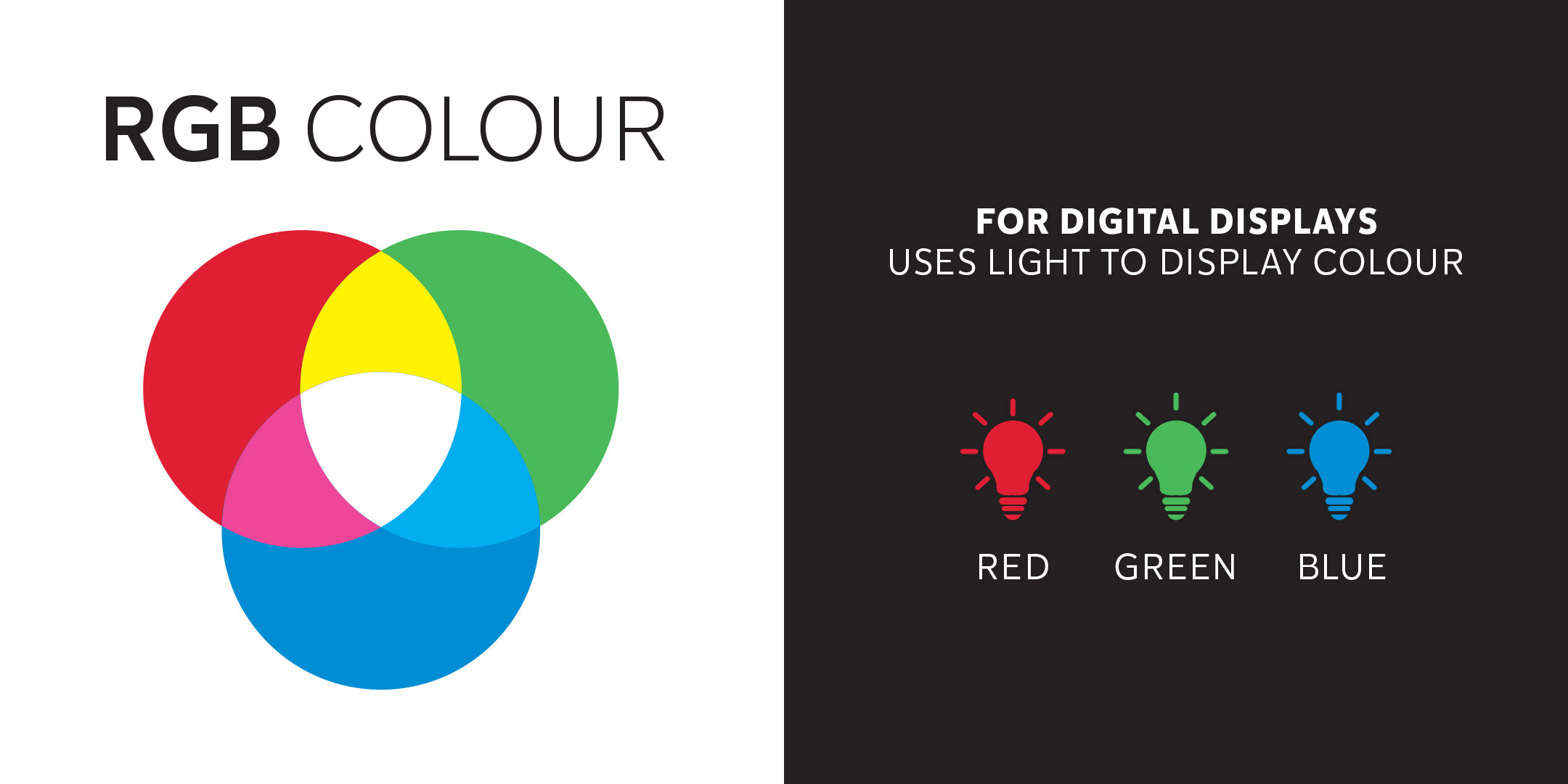
RGB is created with light

Starting with a black digital screen Red, Green and Blue light are added to create colour.
Anything that is created electronically for a digital screen uses RGB colour.

RGB values have a range between 0 – 255 for each colour denoting the amount of light added.


Black (no light) for example, has a RGB value of:

R: 0

G: 0

B: 0


Whereas white (maximum light) has the highest value for red, green and blue lights, creating white.

R: 255

G: 255

B: 255


Please note: Some colours that look bright and vibrant on screen are hard to recreate physically with CMYK ink. Especially bright orange and some light turquoise blues.

Feel free to get in touch if you have any colour queries.

Pages from an open report on a grey background

Factors driving a public sector design project can be quite different to those in the corporate or business world.

This is because:

  • of accountability to rate payers and tax payers
  • projects are often community-based and grassroots which can require accessible design and different languages
  • it’s about communicating information rather than driving sales
  • things take time to get through the approvals and sign-off processes
  • projects can be political and perceptions may influence design decisions.
Page from a document showing pull out quotes

Feedback quotes from consultation participants shown in Porirua Development/Kāinga Ora’s Community Engagement Report.


There’s a lot of design staples in the public sector – here are three types I most commonly work on.

  • Regulatory documents like Annual Reports and Statements of Intent
    These usually are published within a prescribed timeframe and have to contain specific information. But as far as design is concerned, and certainly in the front half of these documents, there’s room to reflect the organisations character and reflect its values. I’ve written a blog about ‘The anatomy of an annual report’ which has some more information and design tips on how to make it look great!
Cover and inside page of an A4 document shown on a grey background

Wellington Water’s Annual Report designed within their existing brand guidelines.

Document Design Wellington

Pages from Wellington Water’s Statement of Intent.


  • Infographics
    A picture tells a thousand words – and that’s the role of the infographic. Maps, graphs, charts, diagrams, icons, illustrations, pull-out quotes and numbers are all great ways to help make often complicated information more digestible. The ‘Wellington Regional Growth Framework’ is packed with facts and figures and uses lots of different types of maps, diagrams and schematic to demonstrate them. (https://wrgf.co.nz/reports/)

Pages from the ‘Wellington Regional Growth Framework’ Foundation Report showing demographic statistics through graphs.

Pages from the ‘Wellington Regional Growth Framework’ Foundation Report showing access to opportunities.


  • Promotional work including posters, invites and social media tiles
    Consultation is often required and many projects I’ve worked on have a community consultation component, often involving open days or events. Designs work better when they consider the neighbourhood and the communities within it. Printed posters and physical invites /flyers often compliment social media promotions. Maps or diagrams often feature to explain the options being proposed and to prompt comment and feedback.
Invite showing a photo of a child riding a bike

Invite to a safer cycling community working hosted by Kapiti Coast District Council using their brand guidelines.


Facebook Event image

Facebook event banner for a community event.


Kapiti Coast Map Design

A map used in public consultation about speed limit changes proposed for Kapiti Coast District Council roads.


Usually local government, council controlled organisations and other public sector organisations have established brands. I can provide both brand strategy advice or be a virtual “in-house” designer and custodian of existing brand guidelines. My well organised document management system means I can easily retrieve that job we worked on five years ago so we don’t have to start from scratch for a similar project.

If you have any public sector design questions, feel free to get in touch.

We’re all human, and it seems emotion and unconscious thought is what really drives decision making, and by extension our spending choices. Colour is an emotional cue and has a major effect on buying behaviour.

How does colour influence emotion and by extension your customers and sales? I look at:

  • Psychology of colour
  • Unconscious decision making
  • Colour in branding

Colour psychology is a good place to start.

Wikipedia describes colour psychology as the study of hues (colours) on human behaviour. While the influence of colour on individuals can be subjective and may be affected by culture, gender and age, some aspects are considered more universal.

You’re probably already familiar with some broad categories of colour psychology.

Colour wheel graphic on a white backgroundWarm colours, including red orange and yellow, evoke emotions ranging from feelings of sunny warmth and comfort to more passionate feelings of anger and aggression.

While cool colours, like blue, purple and green could be described as calm, secure and tranquil but can also feel cold and sad.

Colour can affect mood and therefore change shopping habits.

Colour is a powerful communication tool and can be used to signal action, influence mood, and even influence physiological reactions.

“Selecting the right colours to use has an enormous impact on product sales.” (J Suresh Kumar). One high street example of this is the prevalence of red and yellow in the logos of popular fast food chains. Also known as the ketchup and mustard theory; that red and yellow are a combination of colours that encourage us to eat.

Think about the advertising panels and logos of McDonald’s, Burger King, KFC, Wendy’s and Pizza Hut. Their logo colours would suggest they all strongly subscribe to the ketchup and mustard theory.

Close up of hands holding a hotdog with ketchup and mustard

Hotdog Photo by Peter Secan on Unsplash

“Yellow is a symbol of happiness, excitement, and cheer and red is an attention seeker causing triggers of appetite and hunger. Red makes us feel warm, loved and comfortable which is necessary for a good long meal. Yellow grabs our attention from a long distance and it also increases the speed of our metabolism.

Experts believe that the combination of these two colours create the perfect combination of emotions and feelings to make people feel hungry and spend more time while having a meal.”

Unconscious decision making

Probably 95% of all cognition, all the thinking that drives our decisions and behaviours, occurs unconsciously—and that includes consumer decisions. That’s not to say that the 5% we’re privy to is unimportant—just that marketers overemphasize its importance, because it’s so visible and easy to access. (Harvard Business School professor, Gerald Zaltman)

If humans aren’t as logical as they think they are, and colour can suggest certain emotions it makes sense that colour can be a powerful marketing weapon. While showing rational features and services remain important tapping into an emotional response can get results.

“As the old saying goes – sell the sizzle, not the steak.


Colour in branding

“When brands effectively reach customers on an emotional level, this deeper relationship builds the foundation of brand awareness and can even change shopper habits.” Branding is about making connections to your ideal customers and building a relationship that will affect their buying decisions. Creating a resonance between what you offer and what your customer wants or needs.

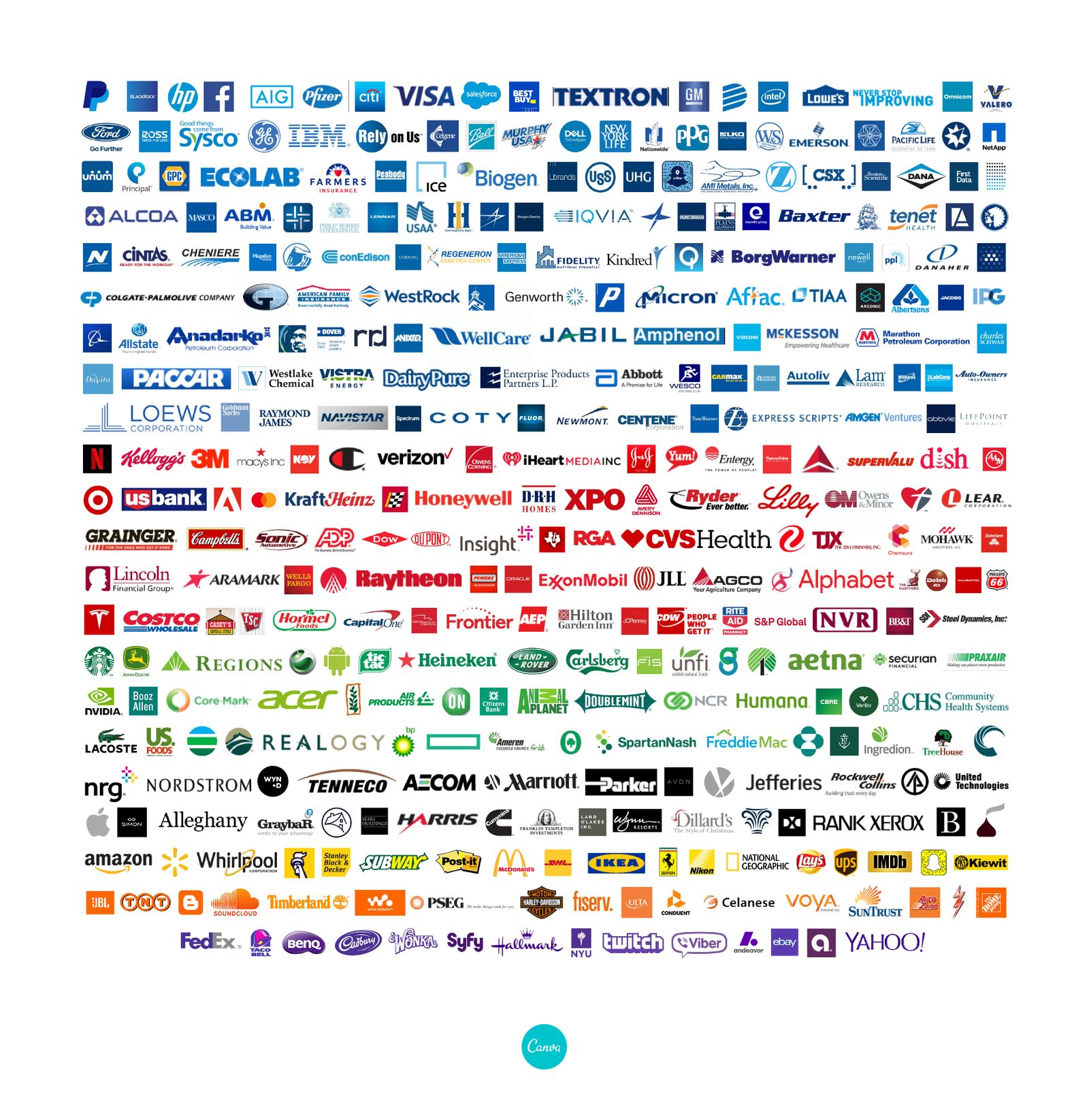
Colour is a key part of branding, and colour psychology can be a great help. You need only need to look at how popular blue is for Fortune 500 companies logos. But, let this be tempered by your particular ideal client. Their cultural or social background may change what resonates for them.


Fortune 500 business logos arranged by colour

www.canva.com/learn/color-psychology-the-logo-color-tricks-used-by-top-companies

Pink may be associated with women’s products in general but it could easily be a turn-off for the specific women you want to appeal to.
How we present our businesses or products should resonate with our ideal customers and a good branding exercise will think about colour alongside:

  • What you do (products, services, features)
  • Your background/story
  • Your competition/market
  • Your key messages (Benefits to your client, values)
  • Personality, words and voice
  • Typography and Imagery

If you’d like more information about colour and branding please get in touch.


References:

  1. www.verywellmind.com/color-psychology-2795824
  2. The Psychology of Colour Influences Consumers’ Buying Behaviour – A Diagnostic Study. J Suresh Kumar, Ushus-Journal of Business Management
  3. www.marketingmind.in/know-fast-food-logos-red-yellow
  4. www.inc.com quoting Harvard Business School professor, Gerald Zaltman
    https://hbswk.hbs.edu/item/the-subconscious-mind-of-the-consumer-and-how-to-reach-it
  5. https://insightsinmarketing.com/resources/infographics/how-does-color-affect-consumer-behavior/)

As mentioned in my recent blog I’ve recently become involved in a project to co-author The perfect recipe for creating awesome web content. As the title suggests it’s a book about writing content for small business websites. Angela Bensemann and Iona Elwood-Smith approached me to contribute to their project. What started out as just a cover design became a larger undertaking.

While I’m experienced in document design I’ve never worked on a book before. We decided to concentrate on a physical book in an easy-to-hold size (6 x 9 inches or 152 x 229mm), an A4 downloadable PDF version and some bonus A4 PDF worksheets. Unrestricted by epub limitations of an ebook I let my creative hair down and came up with illustrated section breaks, pull-out boxes illustrated with photos and engaging worksheets.

Colourful collage illustration showing a smiling woman, cake and bird

This collage uses free stock images from Rawpixel.com and Unsplash.com

Here are ten of the conventions and elements that I came across while preparing the book for print (some details new to me!):

  1. Cover and Title Page: The title page is often the first right hand side page inside a book and shows the title, author and publisher.
  2. Copyright page: This follows the title page and includes information on the author/s, copyright, publisher, ISBN number (more on this in point 6) and can include design details.
  3. Dedication: A chance to make your mum proud!
  4. Numbering: Odd numbers are always on the right-hand page.
  5. Section heads: Not common in fiction but as this was a non-fiction “how to” title it made sense to go to town with the full colour printing and create fun collage illustrations for each section.
  6. ISBN number: This is a unique International Standard Books Number which in New Zealand is issued by the National Library for free. We found we needed to decide which formats we wanted to produce (hard copy, soft copy, epub etc) and apply within eight weeks of publication. More details are here ((https://natlib.govt.nz/forms/isn))
  7. Barcode: If you’re selling in a retail setting, you’ll need a barcode. There are various types and you’ll need your ISBN number. We took advice from our author friend, Susan Holt, and purchased an EPS file from the Label Shop which I added to the back cover design.
  8. Spine: Don’t forget the spine design. Wording usually runs from the top of the book down. The size of your spine will depend on your page count, the type of paper used, and the type of binding used. Your printer will be able to advise you. We used the handy spine calculator on the Your Books website. This also allowed us to include other measurements to calculate the final cover size of the cover artwork (including the front cover, spine and back cover).
  9. Printing specs: How your book is printed will have an impact on your book design. In our case we chose a digital full colour cover with a matt laminate (the advice was ‘it’s not a romance novel so you don’t need a gloss cover’!) while the inside uses a highspeed inkjet process. As the cost was similar we opted for colour over black and white. It was late in the day that I learnt the inkjet process has limitations compared to normal digital or offset printing. Apparently inkjet printing works better with small areas of bright colours. Not the large areas of paler shades I’d designed. Luckily, we opted for a printed proof which allowed us to check out which design elements would work or need to be tweaked to suit the printing process.
  10. Photography: A professional author photograph will help you look the business! We had a full photoshoot with Juliet Watterson Photographer so we could get some good shots of the authors for the book and also for our Collaboration Station website and social media sites. The photographer is often credited on the copyright page, next to the author photo or back page. Reference to the source of stock images used in the cover art may also be mentioned.
Head and shoulders shot of a woman smiling

Author photograph by Juliet Watterson Photographer (www.julietphotographer.co.nz)

I’ve heard it said that writing a book is only half the job, with printing, marketing and distributing being the other. There is nothing like a final printer’s proof to focus attention on the job at hand. A book, and all the jobs I’m ever involved with, will always benefit from a fresh pair of eyes to check for hidden spelling mistakes, funny spaces and any other inconsistencies. Luckily for us our helper spotted a couple of things that we were able to update before hitting the “approved, ready for print” button.

I hope these tips will help if you’re considering producing a book.


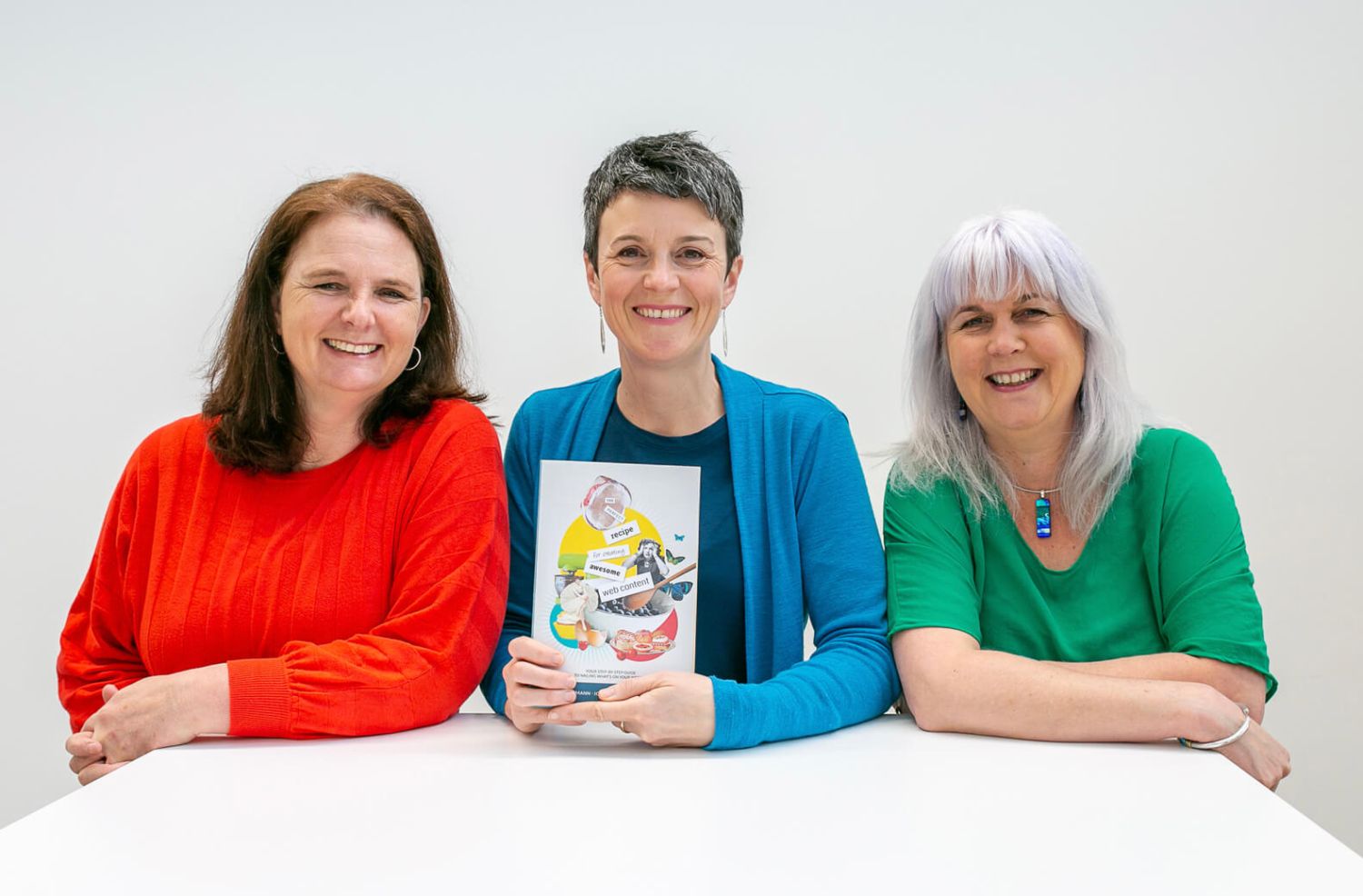
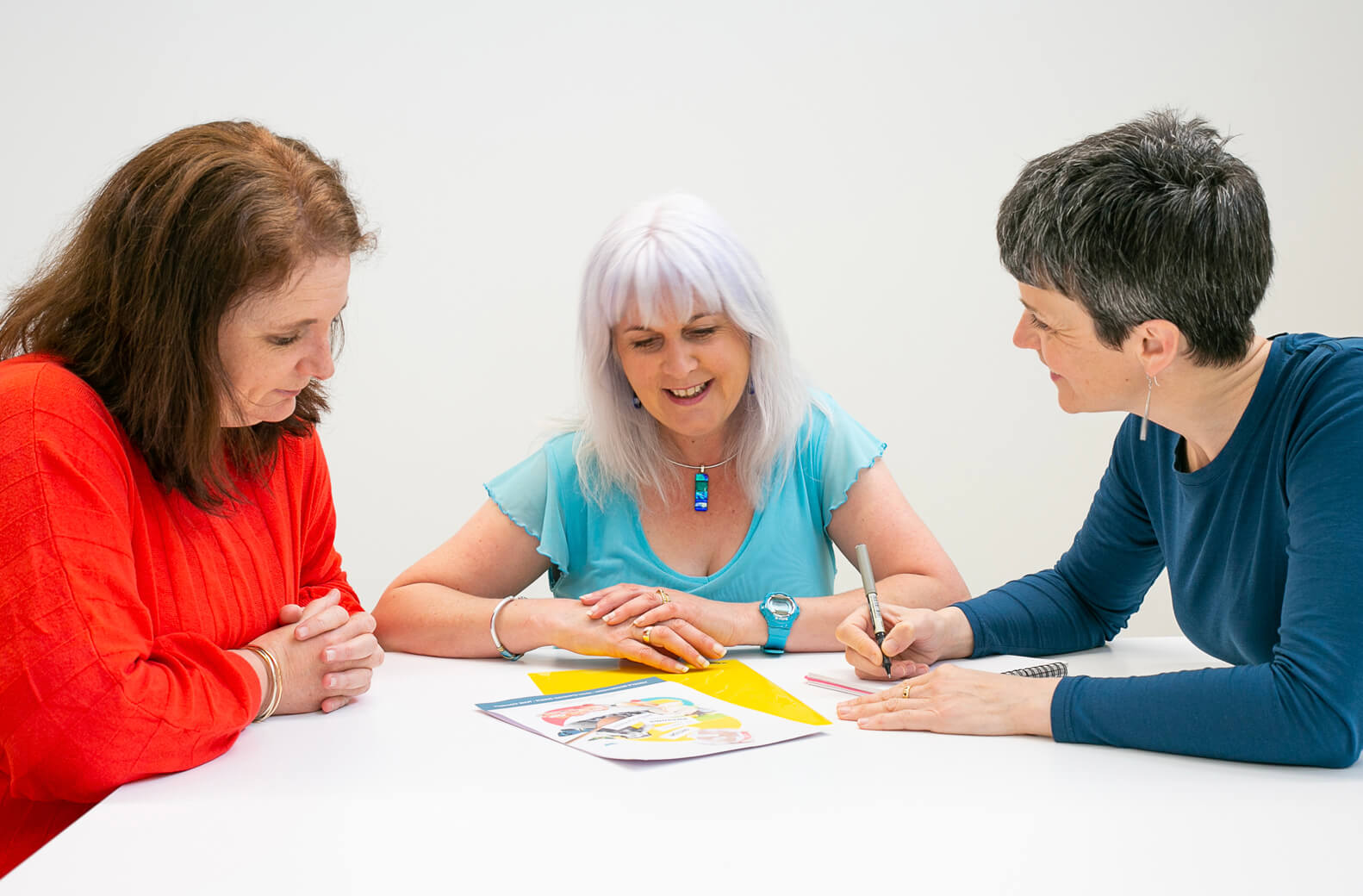
3 smiling women sat at a white table. The middle woman is holding a book.

It’s a cliché but I believe we do business with people we know and like. As a small business I focus on building relationships with others that have complimentary skills and I enjoy working with. But I never imagined I’d be co-authoring “The perfect recipe for creating awesome web content” book this year!

I’ve worked with Angela Bensemann from Halo Communications for over a decade and have been involved in several projects that also included website strategist Iona Elwood-Smith from Grow My Business. So, when Ange and Iona asked if I’d like to contribute to a project they were working on I was keen (even before I heard the details). What started out as just designing a cover for a book they were creating turned into something much more.

2 women sat at a white table lworking together

During the web projects Ange and Iona worked on together, they noticed that people find providing content a real sticking point during the website building process for their businesses. By pooling their respective expertise they could create a valuable “how to” guide ideal for small businesses and start-ups.

They had the writing, strategic and technical aspects covered, and some branding information would be good… as would a nicely designed book cover. Cue Pogo Design.

As the book developed we decided there might be more joint projects on the horizon as we often worked together anyway and that Collaboration Station would be a good home for our collaboration. As with any good team, the whole is greater than the sum of its parts. Or as Iona says “How cool is collaboration? Someone else does the bits I don’t like!”  We know it’s more fun working together, throwing around ideas and coming up with something new.

“How cool is collaboration? Someone else does the bits I don’t like!”

So, I’ve brought my graphic design and brand expertise to the party. It’s also been a chance for me to get creative and experiment with collage illustrations, art direct an enjoyable photo shoot and develop social media marketing resources. As well as building on my experience of document design and learning some of the conventions of book design. I share some tips I picked up in this blog.

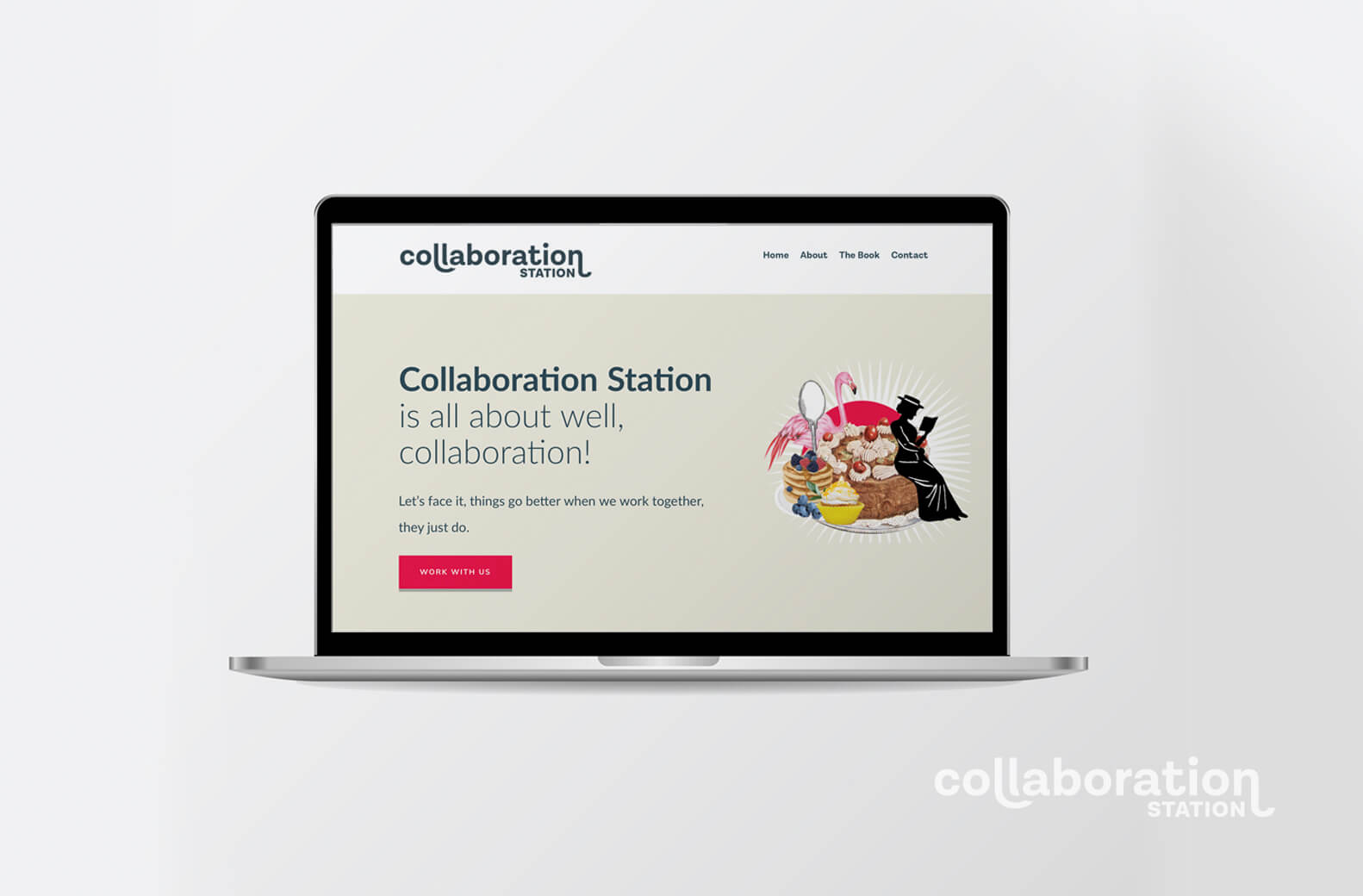
Open laptop showing a home page on the screen

You can pre-order our book and check us out at www.collaborationstation.co.nz or follow our journey on Facebookand Instagram . Who knows what we’ll come up with next?

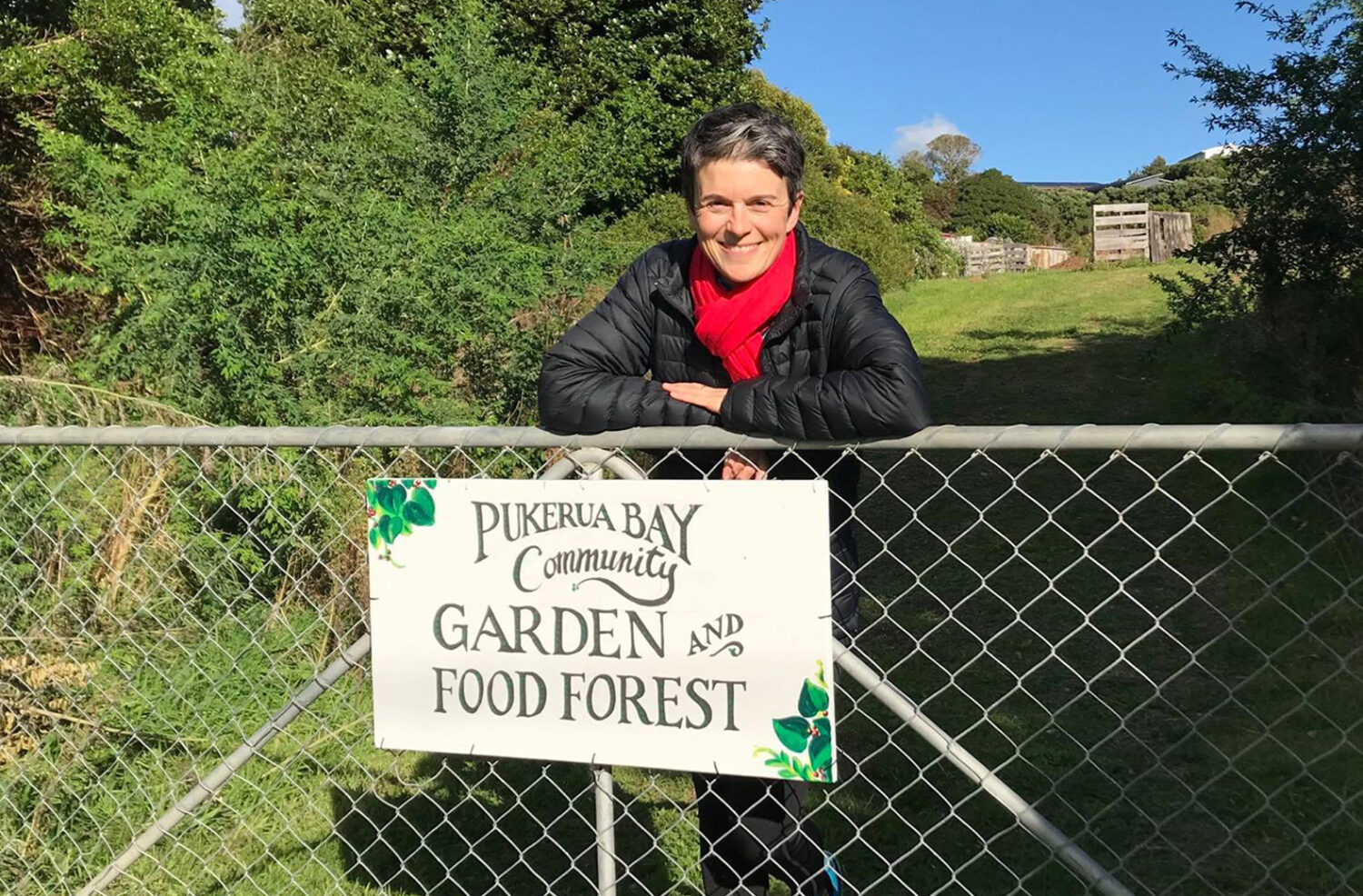
Jane smiling standing at a gate with a hand painted sign that says Pukerua Bay Community Garden and Food Forest

As the Covid-19 virus re-emerges in our communities and we are back into the restrictions of Level 2 and 2.5, our need for inter-connectedness is highlighted. I believe strongly in building relationships between people and strengthening communities, this is really important both professionally and in life in general.

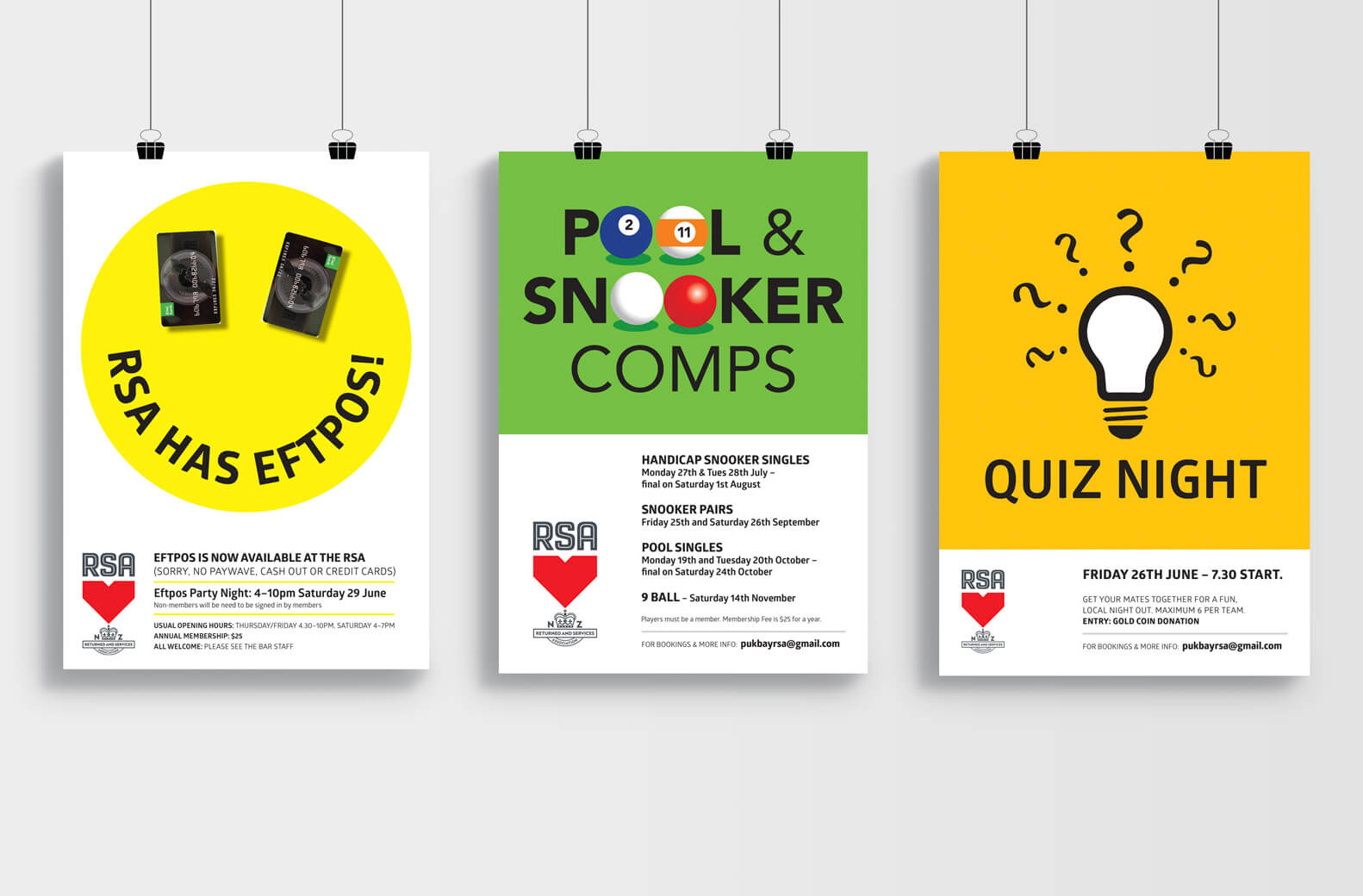
3 RSA posters against a plain grey wall
Image: Three promotional poster designs for my local RSA club.

In practice in my professional life this means I have regular clients, some of who I’ve worked with for over a decade. I also enjoy strong collaborative relationships with other complementary businesses (communication professionals, website strategists, photographers etc). And I appreciate the ongoing support and friendships of networking groups like Chrysalis for Women.

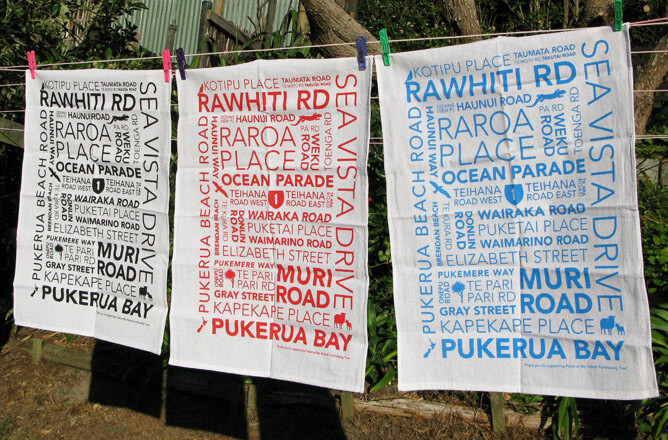
Three tea towels hanging on a clothes line. Each with a typographic design.

Image: Fundraising tea towel design for my local school. 

As a creative, my support often looks like a poster here, a sign there and a tea towel design that pops up everywhere. My volunteer work often has the added bonus of being fun creatively or is a project that’s a bit different and offers an opportunity to learn new skills or information. A win/win!

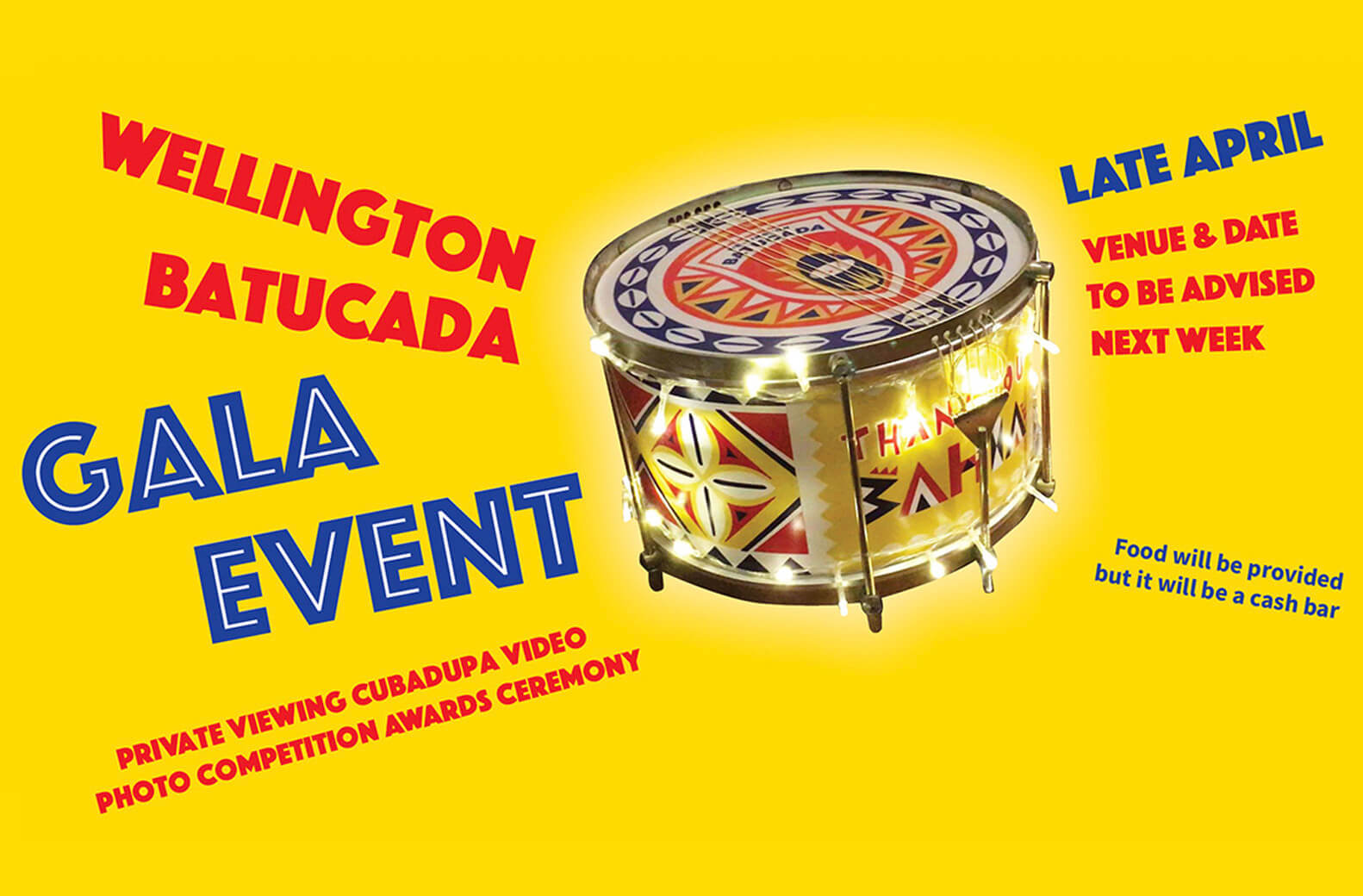
Brazilian Drum on a yellow background with the words Wellington Batucada Gala Event.

Image: Invite design for Brazillian drumming group, Wellington Batucada. 

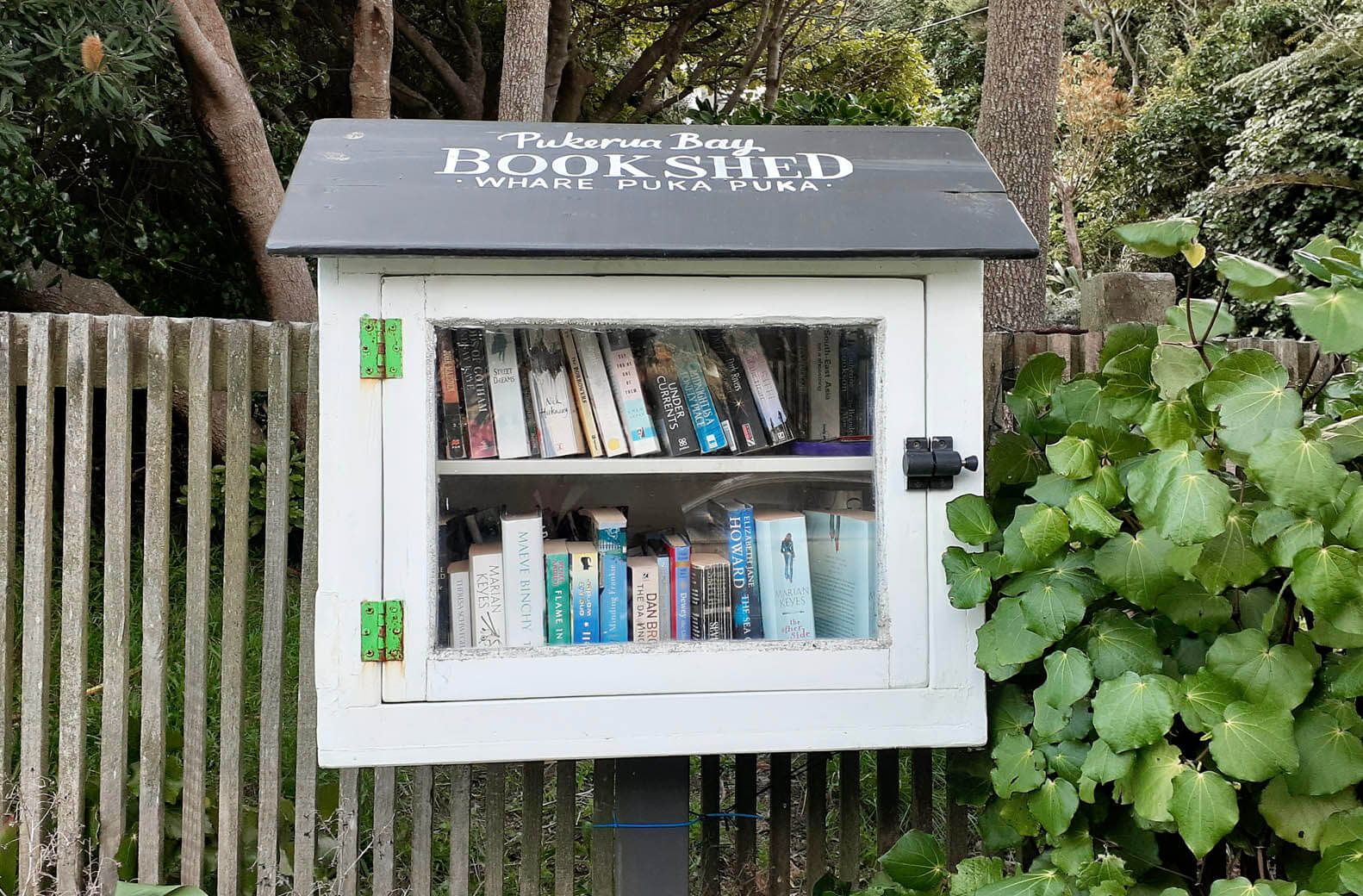
Sometimes my interest is more about creating a special community space – my ‘Book shed in the Bay’ free book exchange has proved very popular.

Small wooden book shed attached to a fence

Image: One of the growing number of local free book exchanges.

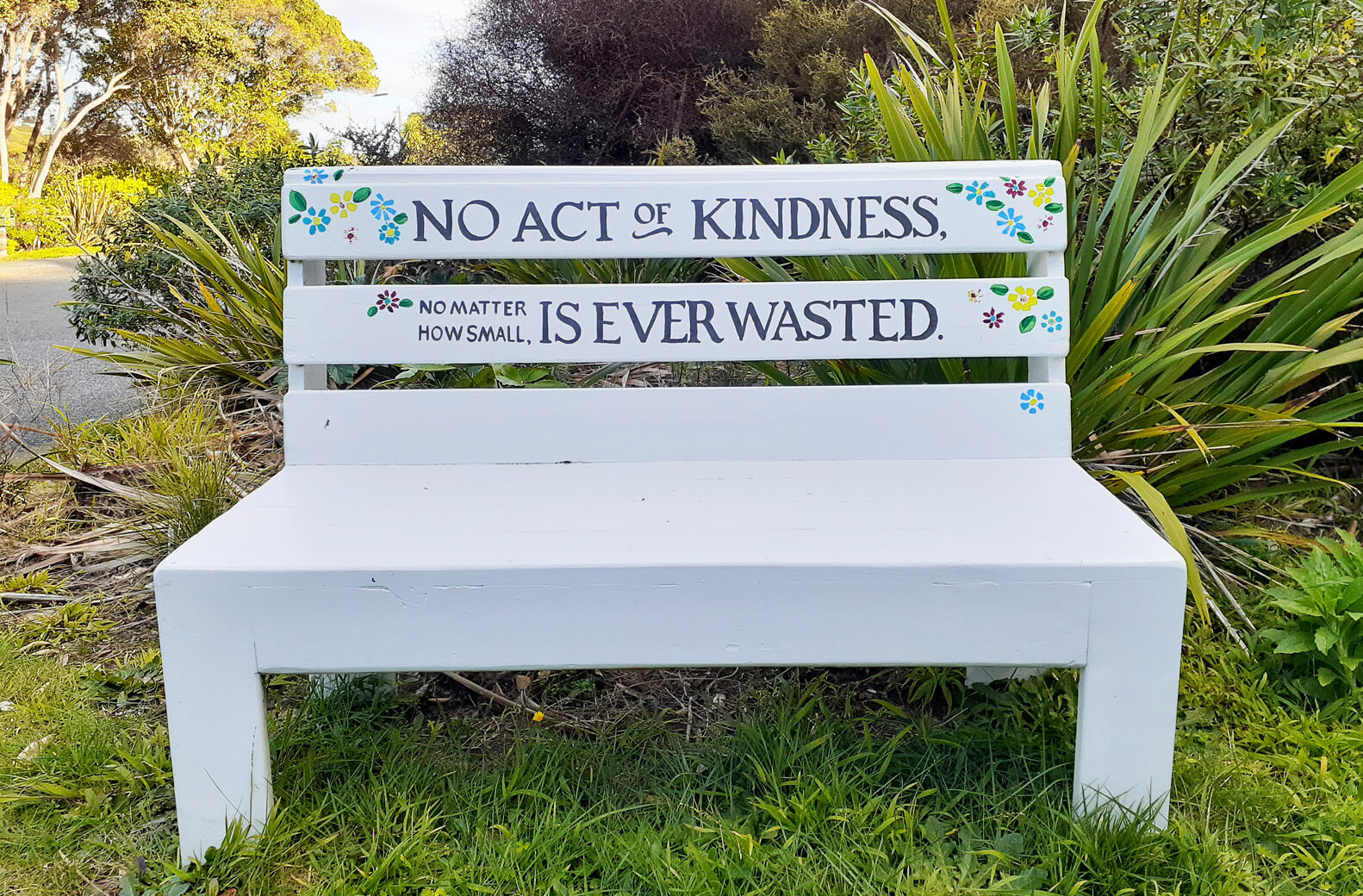
And if you are stopping to browse for a book and you want to stop and flick through it, or just enjoy the sunshine, it’s nice to have a place to sit and contemplate.

White painted bench seat in a grassed area. The words "No act of kindness, no matter how small, is ever wasted".

So, in the face of uncertainty let’s spread a little kindness where we can.


While there are no absolute rules, there are some common practices for numbering a document that will be physically printed.

1) Position of odd and even page numbering

Start the numbering on a right-hand page so odd numbers (1,3,5…) always fall on the right-hand page of a spread and even numbers (2,4,6…) are always on the left.

2) Not numbering the Cover and front pages

The Cover and some initial content such as a Forward, Dedication and Copyright page appear before the main content. The Cover (and Back Cover) isn’t numbered and other initial pages are traditionally labelled with small Roman numerals (i, ii, ii, iv…) or not at all.

3) Blank pages don’t need numbers

Sometimes blank pages are added in the main content of a document for design purposes, such as allowing a section to start on a right-hand page. These pages are still in the numbering sequence but the number isn’t printed. For example, page 11 and page 13 have written content but page 12 in the middle of them is left blank. Page 12 is still counted but the page number isn’t printed. Blank pages may be added at the end of a document to make up the page count. All printed documents need to have a page count divisible by four because documents are created by folding paper in half to create 4 pages.

4) Position of page numbers

Avoid placing page numbers on the inside margin of a page, or too close to the outer edge (where they might get trimmed off). Usually page numbers are placed in the bottom right and bottom left of a spread. For design purposes they could also be centred at the top or bottom of a page, placed in the top right and left corner or centred on the outer left and right sides. Consider your audience and what sort of document you are producing when placing your page numbers. If your document is large and your audience will need to navigate back and forth through the document to find specific information make your page numbering easy to read and find.

If you have any page numbering questions, feel free to get in touch.

It’s that time of year again when organisations start to think about their annual reports. It’s a busy time for us graphic designers as we embrace the challenge of making these documents look enticing and easy to read.

What is an annual report ?

“The report on an incorporated company’s affairs that must be sent to shareholders after the end of the financial year. Such reports include an audited statement of the company’s affairs as well as reports from the management of the company.”

The Handbook of International Financial Terms

While an annual report fulfils a company’s legal obligations and is a repository of accurate financial information for shareholders and stakeholders it can also be used as a marketing tool. By highlighting past performance, presenting future direction and aspirations as well as demonstrating brand values it can be a valuable document for potential investors or a wider audience (such as donators to a non-profit organisation).

Good design can make a report clear, inviting and easy to read with data presented in a way that’s easy to understand. A strong concept can help tell a story and humanise an organisation with case studies and stories about their people and achievements.

Strategic considerations need to be thought through before jumping straight to design.

  • Purpose: strictly regulatory/regulatory and marketing
  • Audience: stakeholders/wider scope could include general public, potential investors etc.
  • Delivery: online/printed
  • Design approach: utilitarian simplicity/conceptual story-based
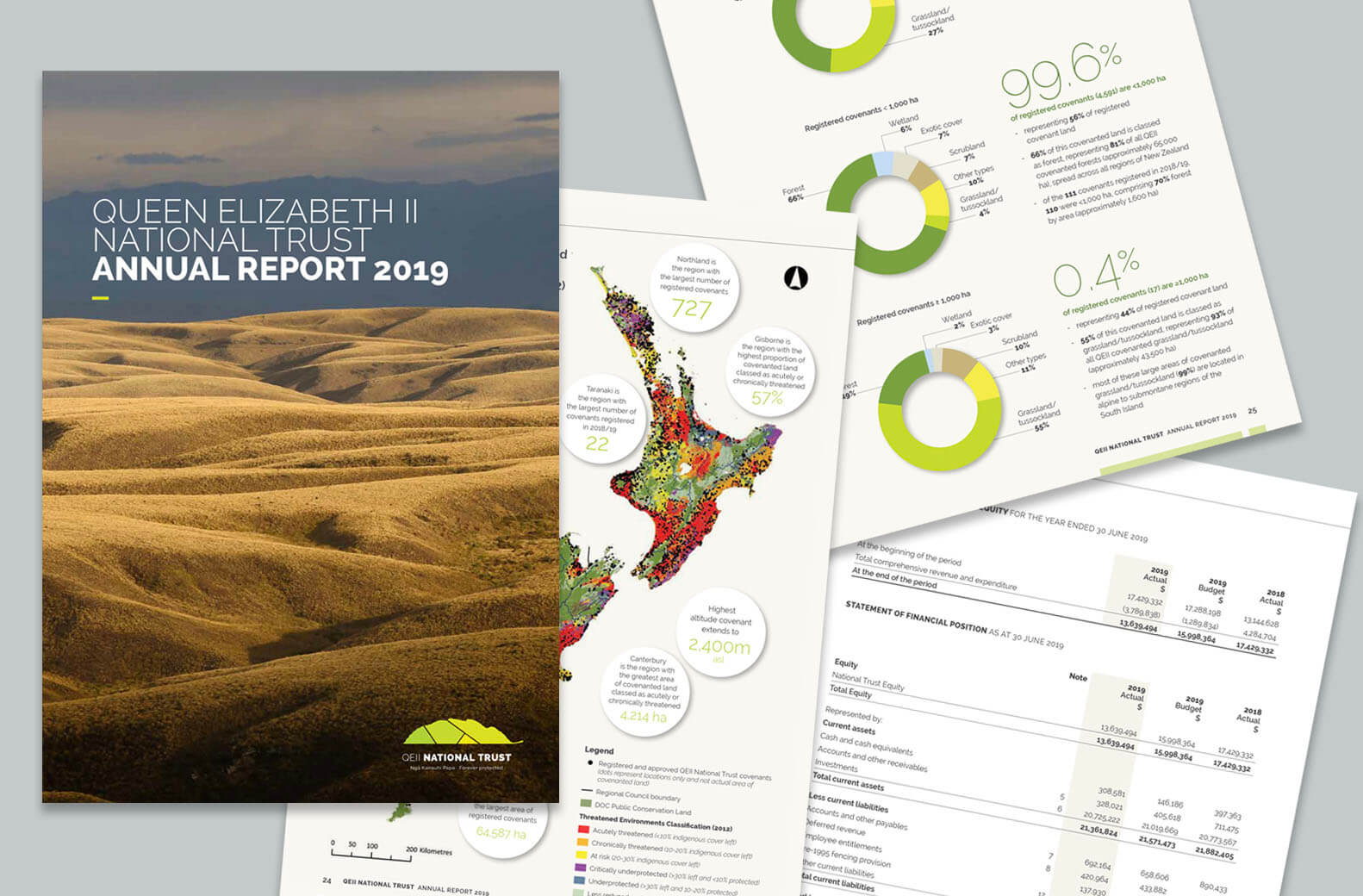
Pages from an Annual Report

Image: Queen Elizabeth II Trust Annual Report 2019, Pogo Design

Annual report delivery

More recently I’ve noticed a shift away from annual reports being part glossy promotional brochure and part regulatory document for a wider audience, towards a more utilitarian report focused on shareholders and stakeholders with a minimal print run and published online as a PDF. This shift could reflect a wider move towards digital communications and away from traditional off-set printing.

Benefits of a digitally published (PDF) annual report include:

  • Time
    • A PDF file published on a company’s website takes minutes to upload
    • A print run of an offset printed document can take days
  • Costs
    • Supporting a digitally published PDF with a smaller number of digitally printed hard copies can be significantly cheaper than offset printing a large run of reports
    • Waste associated with excess out-of-date physical copies is avoided
  • Links to further information can be contained in the PDF document or sign-posted on the company’s webpage

Benefits of a printed annual report include:

  • Impact
    • A tangible object can be more visually and physically appealing
    • Easier to read
    • Implies quality through paper choice and print finishing
  • Audience appropriateness
    • Hard copies are preferable for some audiences
    • Can be provided as part of a marketing package

Some annual reports are published as a microsite, with visuals and audio-visual content. One of my clients has moved back from a web microsite to a combination of a PDF hosted on their website with a small number of digitally printed hard copies.

The cost benefits of producing online content was offset by the costs associated with building a new website and needing to significantly change it each year – hence the move back to PDF and a few hard copies.
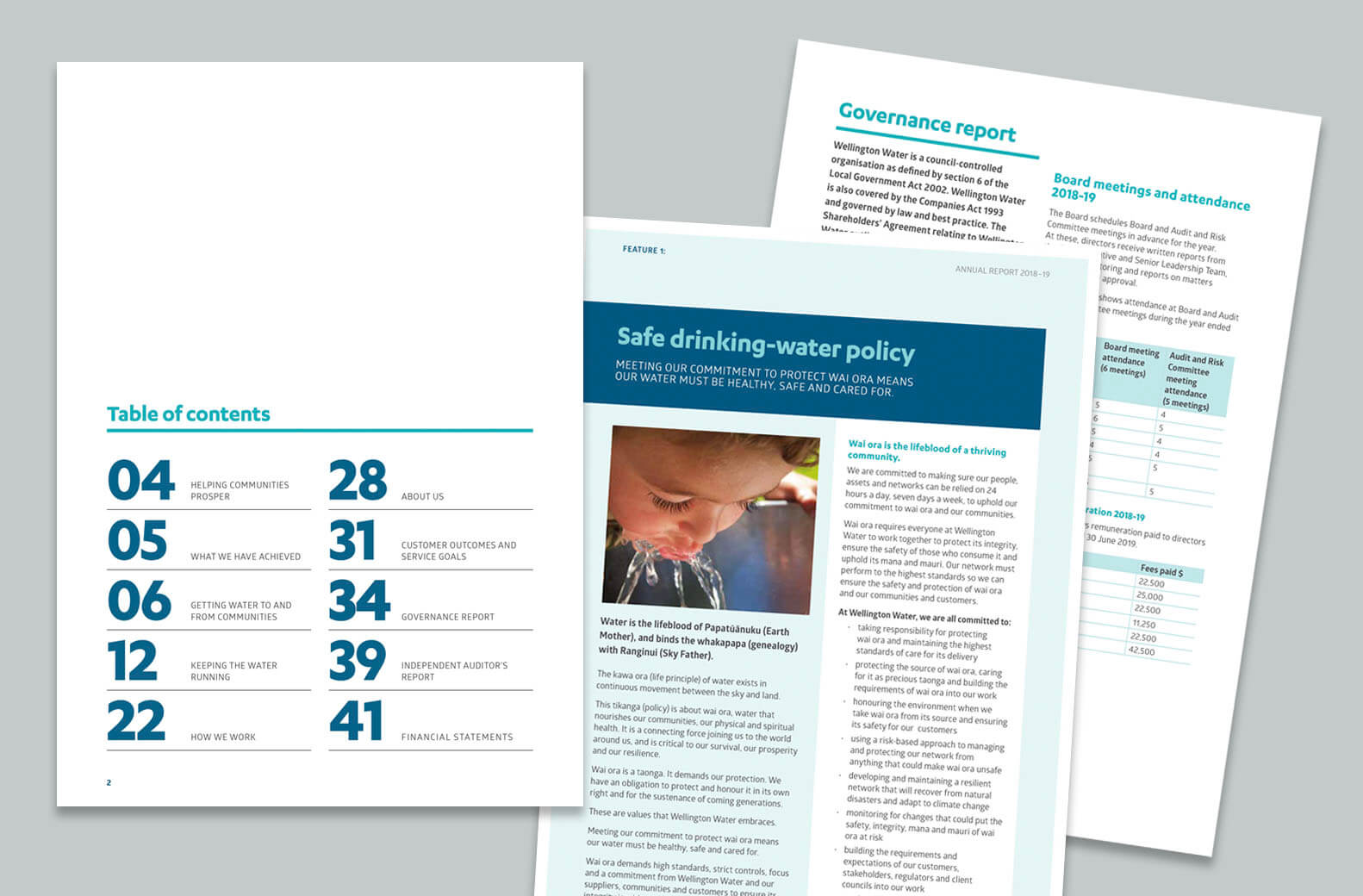
Pages from Wellington Water Annual Report

Image: Wellington Water Annual Report 2019, Pogo Design

Design – how to make it look great!

An annual report can be a company’s flagship document so it’s important that it represents the company’s branding at its best. Design considerations include:

  • An enticing cover
  • Easy to read content, employ lots of white space – less is more
  • Easy to navigate content with section styles, colour coding etc
  • Strong photos and images
  • Employee or customer quotes
  • Infographics, icons, tables, charts, maps and diagrams
  • Bold typographic highlight statistics
  • Snackable content with a clear heading hierarchy and pull out sections
  • Mandatory requirements like web address
  • Auditor’s reports may have to remain in the format they are provided
  • Respecting the brand guidelines
  • Knowing the production/delivery method. Online, printed and digital documents have different technical requirements.

Image: Xero Annual Report winner of Best Design Awards 2018 designed by Studio A-Z

Along with the clever design you’ll need some creative ideas to put some flesh on the report’s bones. These might include:

  • Highlighting people (employees, recipients or customers)
  • Snapshot/day in the life/moments in time
  • Past/future facts and figures
  • Story of why/highlight of values
  • Hero photos, graphics or illustrations
  • Multiples of photos/images to create impact
  • Typography
  • Focus on data with numbers or infographics
  • Timeline device
  • Environmental or social focus

Image: Warehouse annual Report from Behance

If you have any annual report questions, feel free to get in touch.

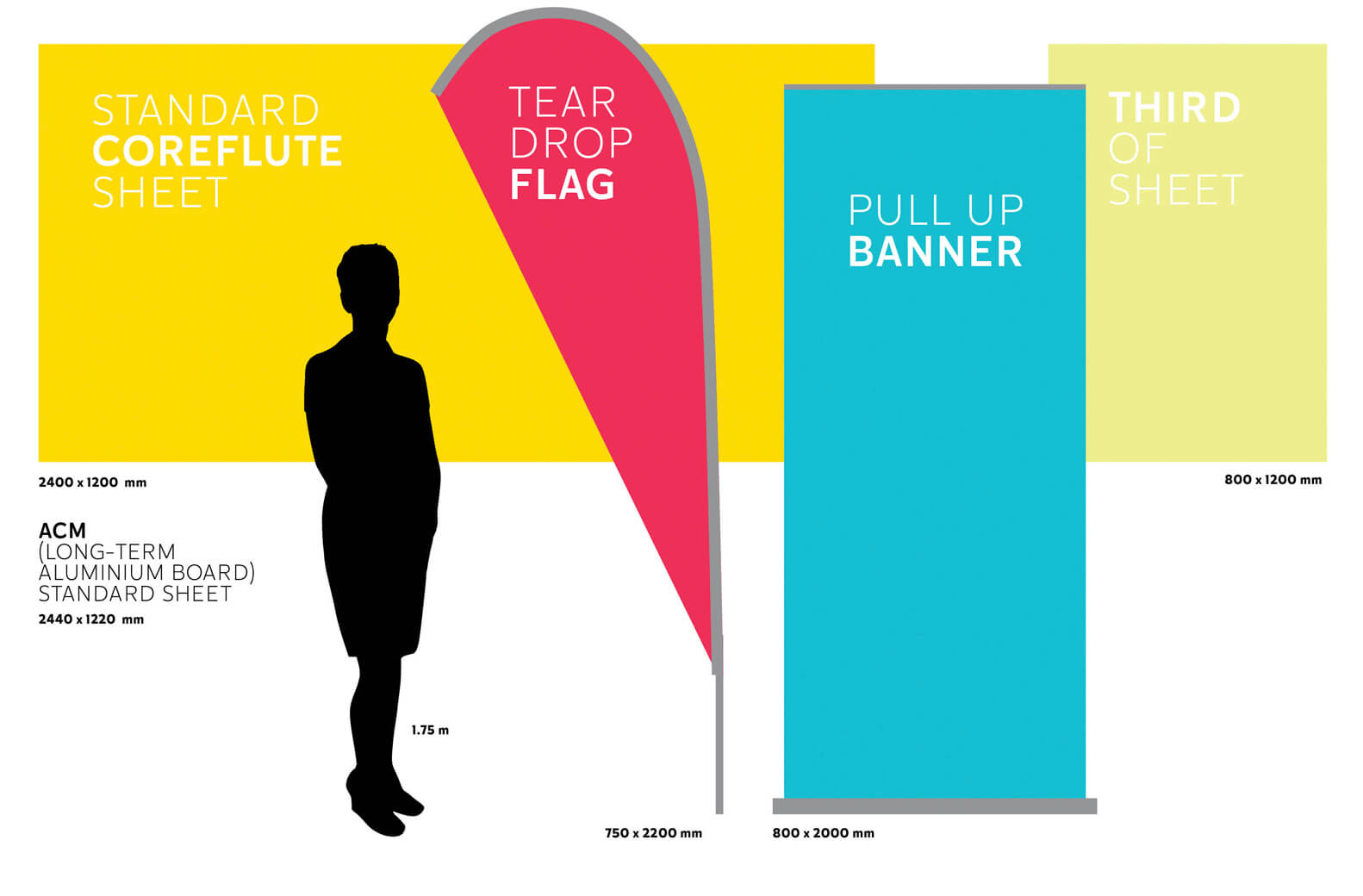
Large format display sizes compared to a human silhouette

Sometimes bigger actually is better. Many occassions, like trade shows, construction projects or events, may require larger format displays to be designed.

These tend to be less standardised that the ‘A’ paper size system and may differ slightly from each supplier. Pull-up banners and flags can vary so it’s important for you, or your designer, to get the correct specifications from the signage company, printer or supplier to ensure the artwork is set up to their particular sizes and requirements.

To imagine how large a pull-up banner or flag would be in the real world I’ve used common sized items in this visual as a starting point.

Large format display sizes compared to a human silhouette

Coreflute, and other signage materials, come in standard sheet sizes. Unless you need a specific size, working with standard sheet sizes (such as planning to use a half or quarter sheet) will reduce wastage and can be more cost effective.

While coreflute is light and inexpensive it has a limited shelf life so is ideal for short-term use. For signage and displays that need to be durable and last longer term Aluminium Composite Panel (ACM) is popular and can be digitally printed and cut down to standard sizes and shapes.

For help visualising standard ‘A’ paper and poster sizes check out my ‘A’ what? blog.

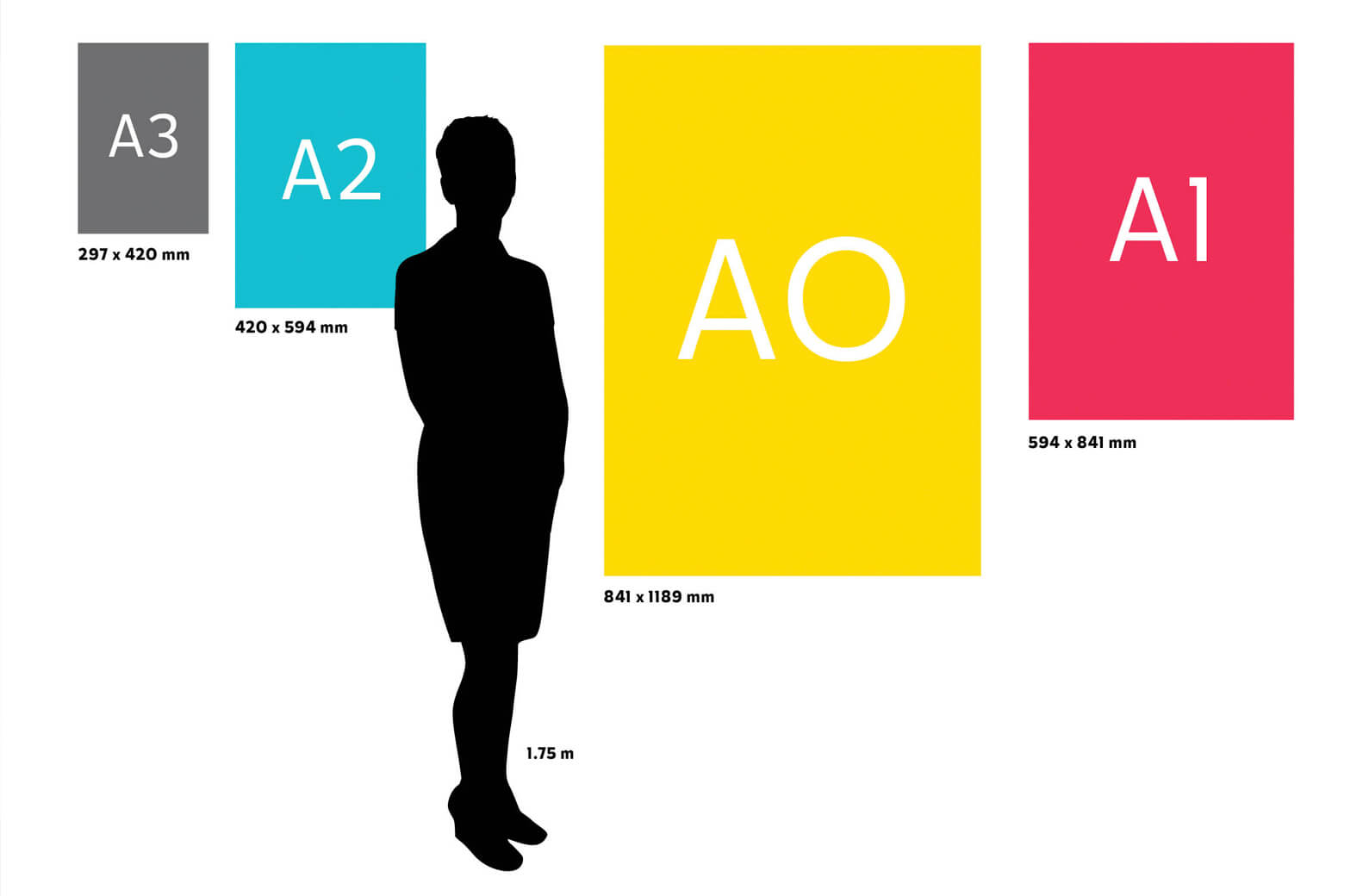
Standard poster sizes in relation to a person's silhouette

Most of us are familiar with an A4 sheet of paper, but it can be harder visualising how large an A1 poster will look or how an A6 postcard might fit into your hand.

Here’s a handy collection of all the ‘A’ paper sizes together measured in mm, as well as a standard business card.

Standard paper sizes A6 to A0

And just to give it some scale – here are A3 to AO posters next to a silhouette (in this case me!).

Standard poster sizes in relation to a person's silhouette

For more info check out my blog on visualising even larger format displays here.